How to Turn a Website into an App in 2026 (Step-by-Step Guide)
If you already have a website, you’re much closer to launching a mobile app than you might think. In 2026, converting a website into a mobile app has become one of the fastest and most budget-friendly ways to get your business on the App Store and Google Play, without starting from zero. Instead of spending months building separate Android and iOS apps, businesses can use a reliable website-to-app conversion approach to launch quicker, test the market sooner, and grow with less risk.
It is not the intention to release a “thin” wrapper that would give the user the feeling of a website within an app. The objective is to transform the website into an app in the correct manner; that is, to provide a native mobile experience, to build on your website as the base, and to incorporate mobile-first features like push notifications, app navigation, and store-ready UI elements.
This blog will give you a detailed overview on how to convert website into app, including the options, the traps, and how to launch successfully. The entire content of this blog is based on our team’s firsthand experience and the practical knowledge gained from the website-to-app conversion projects.
TL;DR
- Convert your website into an app faster without rebuilding everything.
- Apps improve retention by keeping your brand on phones.
- Push notifications boost engagement, repeat visits, and conversions instantly.
- Website-powered apps sync updates automatically with lower maintenance needs.
- AppShopo helps launch Android and iOS apps professionally.
Key Points
- Website to app conversion is faster and cheaper than building native apps from scratch for iOS and Android.
- Apps improve repeat visits because customers return easily through the home screen icon and saved sessions.
- Push notifications drive revenue by sending offers, updates, and reminders directly without relying on social media algorithms.
- Website-powered apps stay synced with your website updates, reducing long-term maintenance and saving time and effort.
- AppShopo provides a complete solution with app navigation, performance optimization, push notifications, and app store publishing support.
Why Turn Your Website into an App?
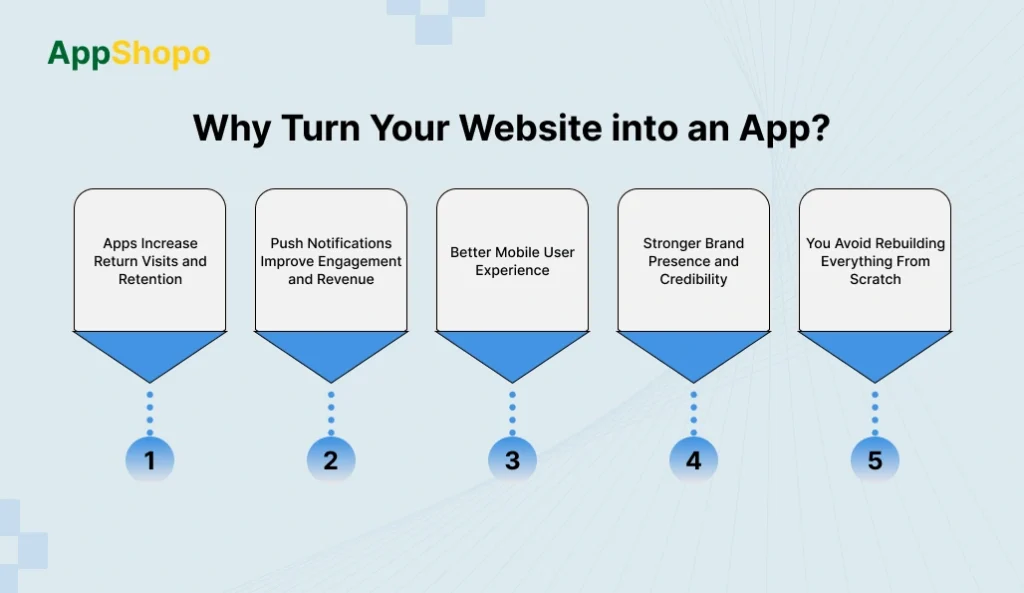
Before converting your website into an app, it helps to understand why so many businesses are prioritizing it in 2026, even with mobile-friendly websites. A website is great for discovery through search, ads, and social media. But an app is built for retention. It stays on the user’s phone, loads faster, keeps users logged in, and makes repeat visits effortless, leading to stronger loyalty and more repeat sales.
1. Apps Increase Return Visits and Retention
When users install your app, your brand stays visible on their phone at all times. They don’t need to open a browser, search again, or type a website URL. This reduces effort and makes repeat visits much easier. That is why many businesses change website into app, because apps improve retention and help customers return more often with less friction.
2. Push Notifications Improve Engagement and Revenue
Push notifications are a major reason businesses convert website into mobile app. Notifications make it possible for you to have an instant connection with users and get them to act at the right moment. Order updates, reminders for abandoned carts, alerts for bookings, offers valid for a limited period, personalized product suggestions, and announcements of new blog/content are some of the things you can send. Notifications are viewed faster than emails; they are not like social media, where you have to depend on algorithms to get to your audience.
3. Better Mobile User Experience
A responsive website can still give the impression of being just a website and not a true mobile product. Contrary to that, the apps offer the benefits of a quicker and smoother experience, better navigation, no loading delays, and easier browsing. Moreover, the users remain logged in, which results in much faster checkout, booking, and account access. That’s why businesses transform website into app, to deliver a premium mobile experience that increases engagement and conversions.
4. Stronger Brand Presence and Credibility
A mobile app builds trust and makes your brand look more established. Users often expect serious ecommerce, service, and media businesses to have an official app. When your app is available in Google Play Store and Apple App Store, it improves credibility and strengthens brand identity. This visibility supports marketing efforts and makes customers feel more confident in using your services or purchasing from you.
5. You Avoid Rebuilding Everything From Scratch
Creating separate apps for Android and iOS usually requires more cost, more time, and more maintenance. But with website to app conversion, your website becomes the main platform (single source of truth). Instead of managing three separate systems, website, Android app, and iOS app, you maintain only your website, and the app reflects updates automatically. This makes it easier to scale and update long-term.
Can You Convert Any Website Into an App?
Generally, the answer is yes; nearly every contemporary website is capable of turning into a mobile application. It does not matter if you have a web-based platform, a blog, an ecommerce store, or a service business website, it is mostly feasible to transform the site into an app and make it available on Android and iOS.
However, the success of the conversion depends heavily on how well your website performs on mobile. A mobile app created through website to app conversion is often powered by the same content and structure as your website. The app will be limited by the quality of the website behind it. Therefore, if your website is slow to load, hard to navigate, and not user-friendly on mobile devices, these are the same drawbacks that the app will have and along with that, the user satisfaction will be decreased.
To smoothly turn website into app, your site should meet a few essential requirements:
- Mobile responsive design: Regardless of the way a device is utilized, the webpages should be able to change their layouts according to the screen size perfectly.
- Secure HTTPS connection: Sites with proper security measures are always required for apps but even more so for logins, payments or user data.
- Fairly fast speed: App users who experience slow speed will cause a high bounce rate, and the app will have a higher chance of being uninstalled.
- Steady and uncluttered navigation: Your site should be built in a very obvious way, and mobile users should be able to navigate it easily.
- Working mobile experience: Important tasks such as logging in, checking out, filling out forms and making bookings must not have any issues on mobile.
If these basics are in place, it becomes much easier to convert website into app successfully and create a reliable app experience for users.
That said, professional website to app conversion projects rarely start with development immediately. They usually begin with website optimization, improving mobile UI, page speed, usability, and performance. This step is important because converting a website into an app does not automatically improve the website experience. Instead, it carries that experience into the app. So if the website experience is strong, the app becomes strong. If the website experience is weak, the app becomes weak too.
In short: yes, you can make website into app in most situations, but the quality of the final app depends on how mobile-friendly, fast, and stable your website is. The better the website, the better the app conversion results.
Option 1: Basic Webview Wrapper App
A webview wrapper app loads your website inside an app container. In simple terms, it displays your website as an app without making major changes to structure or experience. This is the most basic way to convert site into app.
Best for
- Informational websites
- Small businesses needing a simple presence
- Quick prototype apps
Pros
- Fastest method to change website into app
- Low development cost
- Minimal setup required
Cons
- May feel like a website inside an app
- Performance depends fully on website speed
- Limited “real app” experience
- Can face app store approval issues if the app has no native value
- Weak navigation and user flow compared to modern apps
This option can work if your goal is only to publish quickly. But if you want retention, engagement, and a premium experience, it’s not ideal for long-term growth.
Option 2: Progressive Web App (PWA)
A PWA is a website that behaves like an app. Users can “install” it from the browser, and it can load faster using caching. However, it is not a traditional app store application.
Best for
- Businesses that don’t need app stores
- Fast deployment with limited budget
- Content websites that want quick mobile access
Pros
- No app store publishing required
- Faster and cheaper than native apps
- Uses your current website setup
- Can support offline access in some cases
Cons
- Not a true app store app
- Limited app-store visibility and brand credibility
- Limited native features compared to real apps
- Not the best option if you want premium mobile experience
A PWA is a useful mobile-friendly shortcut, but most brands still prefer to convert website to mobile app for stronger trust, retention, and app store visibility.
Option 3: Website-Powered Native Mobile App (Best for Most Businesses)
This approach allows you to convert website into app while delivering a true native app experience. Your website powers the core content and functionality, but the app includes mobile-native features and navigation.
Best for
- Ecommerce stores
- Blogs and content publishers
- Booking/service websites
- Business websites focused on retention and repeat users
Pros
- Looks and feels like a real mobile app
- Supports push notifications for engagement
- Native navigation (bottom tabs / menus)
- Better performance and smoother UX
- Website and app stay in sync (single source of truth)
- Easier long-term maintenance
- Stronger app-store approval chances
Cons
- More setup than a basic wrapper
- Slightly higher cost than webview conversion
- Requires planning for navigation and UX
This is the best method for most brands in 2026. It provides the most balanced option to transform website into app while avoiding the cost and complexity of full custom development. It’s also what people usually mean when they want to convert web app into mobile app properly.
How to Turn a Website into an App
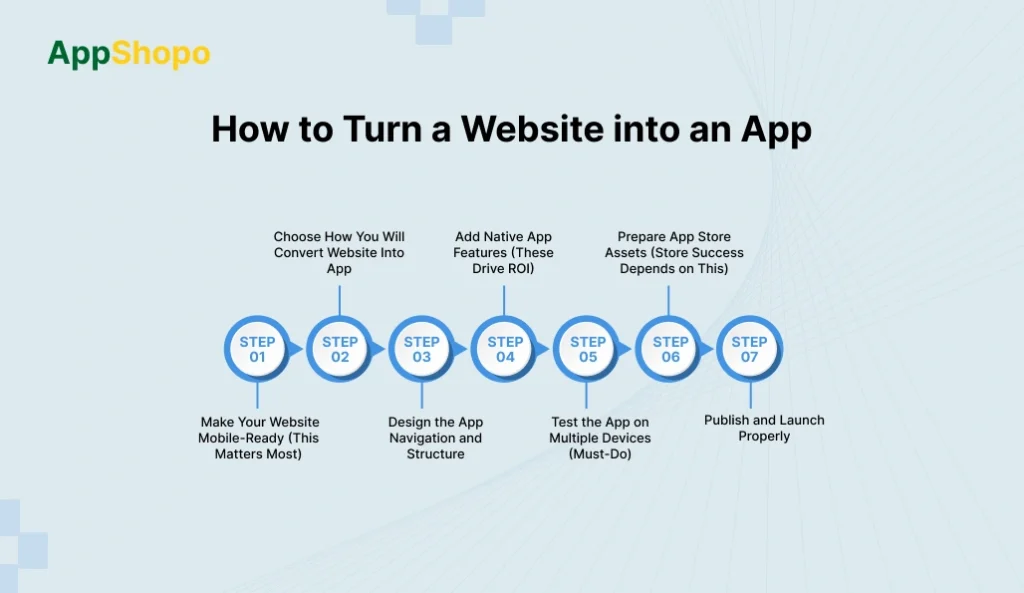
Transforming a site into a mobile app is a plus to the user’s experience on smartphones, an increase in site traffic, and higher engagement. The right conversion strategy for web to app can make the site a native app for both Android and iOS platforms with no need for the entire development process again.
Step 1: Make Your Website Mobile-Ready (This Matters Most)
Before you make website into app, your site must be optimized for mobile. Since your website powers the app experience, a slow or broken mobile website will create a slow and frustrating app. Strong speed, a clean UI, and smooth checkout/booking flows are essential for a successful website to app conversion.
- Compress images and optimize media files
- Reduce heavy scripts and unused plugins
- Enable caching and improve server response time
- Fix mobile layout issues (fonts, spacing, buttons)
- Ensure key flows work smoothly (login, cart, checkout, booking)
Step 2: Choose How You Will Convert Website Into App
To convert website into app, you need to pick the right conversion method based on your goals and budget. A basic wrapper is fast but limited. A website-powered native solution offers app-like UX and engagement features. A fully custom app provides maximum control but requires more time and cost.
- Decide between webview wrapper, native website-powered, or custom app
- Match the method with your budget and launch timeline
- Prioritize app-store approval and long-term scalability
- Ensure the approach supports future upgrades and features
- Select a method that delivers real mobile UX (not just a web copy)
Step 3: Design the App Navigation and Structure
Many website-to-app projects fail because they keep website navigation, which does not feel natural in an app. A successful website into an app conversion must include mobile-first navigation such as bottom tabs and simplified menus. This improves usability, reduces steps, and increases engagement.
- Create bottom navigation tabs (Home, Search, Cart, Account)
- Add a native side menu for important sections
- Reduce taps needed to reach key pages
- Fix Android back button behavior for smooth navigation
- Keep navigation consistent across screens and sections
Step 4: Add Native App Features (These Drive ROI)
To transform website into app, you must add native features that increase retention and revenue. Push notifications, deep linking, and persistent login make your app more useful than a website. These features are also critical for strong engagement and successful convert website to mobile app results.
Checklist
- Enable push notifications for offers, updates, reminders
- Add deep linking so links open inside the app
- Improve login persistence so users stay signed in
- Add analytics tracking for installs, retention, conversions
- Improve performance with caching and loading optimizations
Step 5: Test the App on Multiple Devices (Must-Do)
Testing is essential when you convert site into app. Apps must run smoothly on different phones, screen sizes, and operating systems. Without proper testing, users may face crashes, broken layouts, payment failures, and slow performance, leading to poor reviews and uninstallations.
- Test on low-end, mid-range, and high-end Android phones
- Test on multiple iPhone sizes and iOS versions
- Verify checkout, login, and booking workflows
- Check push notifications, deep links, and loading speed
- Test edge cases like slow network and offline mode
Step 6: Prepare App Store Assets (Store Success Depends on This)
To publish your website into an app, you need store-ready assets and a strong listing. There is a level of competition in app stores, and the presence of good metadata is a factor that increases the number of installations. The platforms also do a quality check on the apps, and therefore, the high-quality images, accurate privacy information, and comprehensible descriptions are of utmost importance for getting the green light.
- Create a strong app name and keyword-focused description
- Design high-quality screenshots showing key features
- Prepare app icon and splash screen branding
- Add privacy policy and data disclosure details
- Choose correct categories and content rating
Step 7: Publish and Launch Properly
A successful launch is more than just submission. When you convert website into app, you must plan for QA, store compliance, and post-launch improvements. A stable release, quick bug fixes, and early user feedback help you build trust, improve ratings, and grow downloads.
- Perform internal QA before submitting to app stores
- Ensure compliance with store policies and requirements
- Use staged rollout or controlled release strategy
- Monitor crashes, reviews, and user feedback
- Release quick updates to improve stability and UX
Why AppShopo is the Best Way to Convert a Website Into an App
AppShopo provides a solution for businesses that wish to transform their website into an app in a short time and in a professional manner without having to start from zero. It offers a mobile app experience with native-type navigation, push alerts, and an app store-ready setup, thus making the whole process of website to app transition easier, quicker, and more adaptable for future growth.
- Quick website-to-app conversion: AppShopo helps you convert your website into an app for Android and iOS with fast delivery.
- Real app-like experience: Your app gets native-style navigation and a smooth user interface that feels professional and easy to use.
- Better engagement with push notifications: Reach users instantly with offers, updates, reminders, and content alerts to boost retention and repeat visits.
- App store-ready publishing support: AppShopo assists with store requirements like icons, screenshots, privacy policy setup, and compliance for approval.
- Easy maintenance with website sync: Your website stays as the main platform, and app content updates automatically whenever your website changes.
Who is AppShopo For?
AppShopo is ideal for web-first businesses that want to convert website into app without rebuilding everything from scratch. If your website is mobile-friendly, AppShopo helps you turn website into app for Android and iOS while keeping your site and app synced. It works best for businesses focused on retention, repeat visits, and mobile engagement through a real app experience.
Key Points
- Best for e-commerce stores, content sites, and service businesses
- Helps convert website to mobile app with faster launch
- Supports push notifications for repeat engagement
- Provides native-style app navigation and smooth UX
- Website remains the main system (easy updates)
When to Build Natively?
Building natively is best when the mobile app is the main product and requires full customization. If you need deep device features, complex workflows, or maximum performance, native development may be worth it. However, for most businesses wanting to convert site into app, native apps are expensive, slow to build, and harder to maintain long-term.
- Best for app-first products (not website-first businesses)
- Suitable for heavy features and deep device integrations
- Higher cost and longer timeline than conversion methods
- Requires separate development for iOS and Android
- Usually lower ROI for basic website-to-app needs
When to Use an App Builder?
The app builders certainly come in handy when you want a low-cost, straightforward app in no time at all. They are ideal for MVPs, trial apps, and basic business needs. When it comes to website projects, app makers can assist you in transforming your website into an application, however, at times they do not offer the same level of flexibility, speed, and scalability as custom-built applications do. A brand that has existed for a long time might consider these tools to be insufficient.
- Good for MVPs, simple apps, and early-stage businesses
- Lower cost than native development
- Faster launch for website to app conversion
- Limited customization and advanced integrations
- Not ideal for high-growth or high-revenue brands
Also Read: Top Shopify Mobile App Builders
Benefits of Using AppShopo for Website to App Conversion
AppShopo helps businesses convert websites into professional mobile apps for Android and iOS, quickly and without heavy development. It delivers a smooth, app-like experience with better navigation, faster performance, and engagement features like push notifications. Since your website remains the core platform, content updates sync automatically, reducing maintenance. AppShopo also supports app store publishing, making launch easier and more reliable.
- AppShopo helps you convert a website into an app for Android and iOS with fast, structured delivery: You can launch quicker without building two separate apps from scratch. This reduces development time, cost, and technical complexity.
- It provides native-style navigation and smoother UX so the app feels professional, not like a web wrapper: The app experience feels clean and app-like, with smooth screens and better user flow, which increases user trust and retention.
- Push notifications help improve engagement, bring users back, and increase repeat purchases and conversions over time: You can send offers, reminders, updates, and alerts directly to users, making it easier to drive repeat visits and sales.
- Website and app stay synced, so updates made on the website automatically reflect inside the mobile app: Product changes, new pages, blogs, pricing updates, or content edits appear inside the app without needing separate app updates.
- AppShopo supports app store publishing, compliance, and setup to reduce rejection risk and ensure a smoother launch: It helps with store requirements, app submission steps, and publishing processes, making it easier for businesses to go live confidently.
Conclusion
Converting a website to an app in 2026 would be one of the most effective means of retaining users, enhancing mobile user experience, and setting up a better communication channel. The successful transformation of a website into an app is not merely about wrapping the site, it is all about offering a true app experience with native, intuitive navigation, seamless and fast performance, as well as push notifications that come to the users daily.
If you want a reliable and professional way to convert website into app for Android and iOS, AppShopo is the best choice. AppShopo helps you turn website into app quickly, keeps your website and app synced for easy updates, enables push notifications for growth, and supports app store publishing for a smooth launch. With AppShopo, you can convert website to mobile app without rebuilding from scratch—while still getting the performance, stability, and mobile-first experience your users expect.
FAQ
1. Can I turn a website into an app, no matter which one?
The answer is yes, but only if it meets certain criteria most of the time: mobile-friendly design, secure connection (HTTPS), and mobile screen compatibility. A robust mobile website guarantees that your website-to-app conversion is successful in terms of performance and user satisfaction.
2. What method will be the best in 2025 for converting website into app?
A website-powered native app solution that adds app navigation, push notifications, and app-store-ready structure is the best method. This way you can transform your website into an app without the need for a total rebuild and at the same time raising retention and engagement.
3. How long does it take to convert a website to an app?
The period can vary depending on difficulty, testing, and approval by app stores. Basic conversions can speed up, while feature-rich apps take longer. In most cases, a professional website to app conversion can be launched in just a few weeks.
4. Will my app be automatically updated whenever I update my website?
Yes, if you go for a site-powered approach. A website that is turned into an app retains its main content source, the website. Any changes made to the website can directly reflect on the app thus helping to reduce long-term maintenance work.
5. What are the advantages of using AppShopo for website to app conversion?
AppShopo simplifies the process of converting a website to a mobile app by providing a professional app-like experience, push notifications, and app-store-ready setup. It ensures that your website and app are always in sync, enhances performance, and provides publishing support for both Android and iOS.

Pankaj Arora
Founder, AppShopo

Pankaj Arora is a technology entrepreneur and the Founder of AppShopo, with over 10 years of experience in helping businesses transform websites into high-performing mobile apps. His expertise spans eCommerce app development, Shopify and WooCommerce integrations, mobile UX optimization, and scalable app delivery. Through AppShopo, Pankaj has enabled brands worldwide to launch fast, reliable Android and iOS apps that drive higher engagement, retention, and mobile sales.