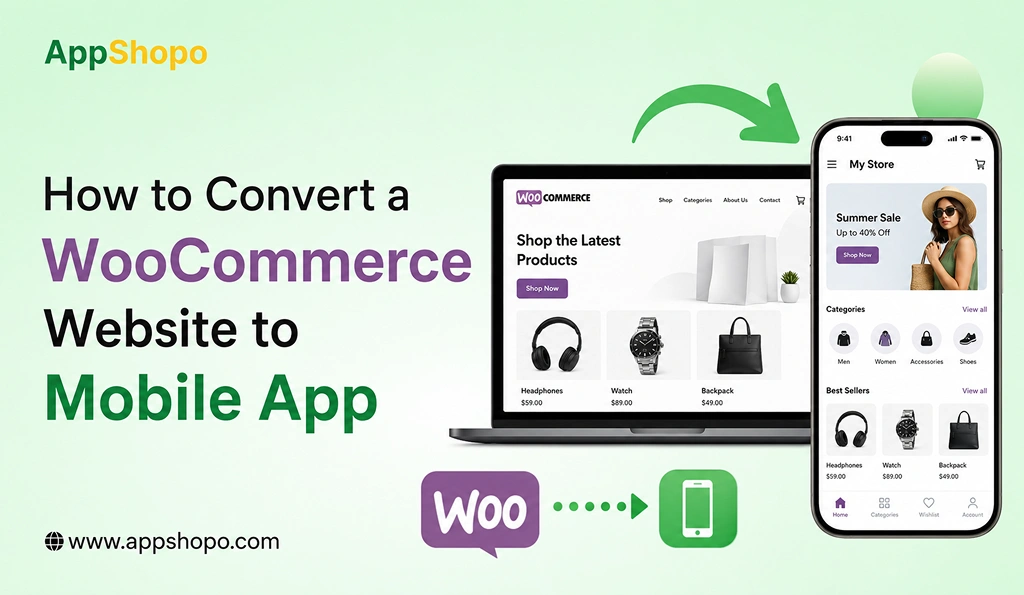
How to Convert a WooCommerce Website to Mobile App
A website alone cannot grow your business in this mobile-first world, and to accelerate your business’s progress and provide the best, more personalized experience, conversions and faster speeds, then converting your WooCommerce into a mobile app will be the way. Since mobile users consume the majority of their mobile time within apps, those companies investing into a mobile commerce channel reap maximum benefits and gain a competitive edge.
There’s clear evidence to support this migration. Mobile commerce currently accounts for over 60% of the world’s eCommerce, and 90% of their mobile time spent are within applications, not browsers. Also, since mobile apps enable quicker, easier checkout, have easier navigation, and save preferences, conversion rates are typically higher by 2-3x in comparison to a mobile site.
Not only this, but the ability to offer instant interaction through push notifications, streamlined checkouts, and a more engaging app experience, you establish stronger brand loyalty and encourage continued sales over a longer duration. These increased repeat customers directly impact revenue long-term.
In this blog, you’ll learn how to convert a WooCommerce website to mobile app, the best options for making such a conversion, important features, and how it helps you grow your business in eCommerce.
TL;DR
- Convert WooCommerce website to mobile app for better engagement
- Mobile apps offer faster performance and smoother user experience
- Push notifications increase retention and repeat purchases significantly
- Choose app builders or custom development based on needs
- Publish apps easily on Android and iOS platforms
Key Points
- WooCommerce website to mobile app can make your users engage and easily navigate and increase the conversion rate from the mobile audience very high.
- Compared to the traditional website, a mobile app allows easy navigation faster, recommendation to customers, and easy to talk to customer from Push Notification.
- Businesses can choose the app builders, custom development, or PWA solutions based on their budget, scalability, and needs.
- Seamless integration with WooCommerce makes products, orders, inventory and customer details synchronised in real time.
- List your mobile app into application stores to reach new customers and to strengthen brand, customer trust, loyalty.
What is WooCommerce Website to Mobile App Conversion?
The WooCoomerce website to app conversion involves a process of converting your current WooCommerce store into a fully functional mobile app for both Android and iOS platforms. Instead of browsing and shopping at your store using a web browser, customers can purchase goods and services from a stand-alone mobile app that is faster, easier, and designed solely for a mobile experience.
The good thing about the WooCommerce website to app conversion is that you do not have to get rid of your current WooCommerce back end, as your product list, inventories, customer information, and orders would be managed via the normal WooCommerce back-end. However, you’ll build up a stand-alone app for iOS and Android on top of the WooCommerce store by creating an API layer to connect to your current store.
1. How WooCommerce Website to Mobile App Conversion Works
When your WooCommerce site is converted into a mobile app, the app sends direct requests to your store’s back end. Therefore, each action performed by the user in the app is instantaneously synchronized to your WooCommerce store.
For example, any order placed by the user in the app automatically populates your WooCommerce dashboard. Furthermore, any updates to your website- such as changes to product pricing, stock quantities or new products added-is reflected on the app.
2. What Users Can Do in a WooCommerce Mobile App
In terms of features your mobile app for WooCommerce will contain all the functions of your website but in a much easier and more optimized way:
- Browse Products Easily: Smooth navigation with categories, filters, and search options
- Add to Cart & Wishlist: Quick product selection and saving for later
- Secure Checkout: Fast and safe payment options with minimal steps
- Track Orders in Real-Time: Stay updated on order status and delivery
- Manage User Accounts: Access order history, profiles, and preferences
3. Why It Feels Better Than a Website
Despite the fact that you are using the same back-end for your website and your mobile application, the two provide different experiences. Mobile applications are developed in the perspective of a small mobile device; hence:
- Faster loading speed
- Better UI/UX tailored for mobile screens
- Push notifications for instant engagement
- Reduced friction during checkout
This ensures that your mobile app functions as a seamless extension of your website while delivering a significantly superior user experience.
Also Read: Shopify vs WooCommerce Comparison: Features, Pricing, and Scalability
Why You Need a WooCommerce Website to Mobile App for Your Store
Today, mobile commerce is not just a growing trend, it is a necessity. In the current world of smart devices, speed, convenience, and ease-of-use are all that customers demand, and a mobile app fulfills these demands. If your business is still limited to a website only, then you could be missing out on a considerable portion of potential customers and sales.
Transforming your WooCommerce store into a mobile app not only allows you to cater to these demands of today’s users but also allows you to differentiate your business from others.
1. Mobile Usage is Dominating the eCommerce Industry
Smartphones are now the most preferred purchasing tool. Most web traffic is now mobile and consumers prefer to browse and buy through applications rather than websites.
Mobile apps provide:
- Faster loading compared to mobile browsers
- Easy navigation with touch-friendly interfaces
- A more immersive shopping experience
Without an app for your store, you are probably missing a substantial amount of the “mobile-first” consumer.
2. Higher Engagement and Customer Retention
Mobile apps create a more engaging environment than websites. Once installed, your app becomes a constant presence on the user’s device, increasing the chances of repeat visits.
Apps encourage engagement through:
- Personalized product recommendations
- Saved preferences and user data
- Easy reordering and browsing
This leads to stronger customer relationships and higher lifetime value.
3. Faster Checkout = Higher Conversions
One of the biggest reasons customers abandon carts is a complicated checkout process. Mobile apps simplify this significantly.
With a WooCommerce mobile app, users benefit from:
- Pre-filled user details
- Saved payment methods
- One-tap checkout experiences
This reduces friction and improves conversion rates, turning more visitors into paying customers.
4. Direct Marketing Channel with Push Notifications
Unlike websites, mobile apps allow you to communicate directly with users through push notifications.
You can:
- Send instant offers and discounts
- Remind users about abandoned carts
- Notify customers about new products or sales
This real-time engagement helps drive repeat purchases and boosts overall sales.
5. Stronger Brand Presence and Loyalty
When an app is on the user’s phone, they see your brand whenever they look at their screen. You are only a single click away each time the device is turned on.
This builds:
- Brand recognition
- Trust and credibility
- Long-term customer loyalty
Over time, customers are more likely to choose your store over competitors simply because of convenience.
6. Competitive Advantage in the Market
A lot of businesses have already started to develop their own mobile apps so they don’t get left behind. It will encourage a customer to spend with the competition if they have their own mobile app and you do not.
By converting your WooCommerce website to a mobile app, you:
- Stay competitive in your niche
- Offer a modern shopping experience
- Capture more market share
Top Benefits of WooCommerce Website to Mobile App
Turning your WooCommerce store into a mobile app opens up several possibilities for growth. More than just comfort; a mobile app enhance user engagement with your brand which results in more conversions and stronger customer relationships in the long run. Below is a thorough exploration of benefits of this:
1. Enhanced User Experience
The mobile app is built for smartphones; hence the experience is more natural and fluent as compared to the mobile website. Products can be browsed and filtered through with ease.
Mobile apps offer:
- Faster loading speeds than browsers
- Clean and responsive UI tailored for mobile screens
- Seamless navigation with fewer clicks
This results in a more enjoyable shopping experience, encouraging users to stay longer and explore more products.
2. Increased Conversions
The most beneficial aspect of a WooCommerce mobile app is its power to convert visitors into customers
Apps reduce friction by:
- Simplifying the checkout process
- Allowing saved addresses and payment details
- Offering one-tap purchasing experiences
With fewer steps and faster performance, users are more likely to complete their purchases, which directly increases your sales.
3. Push Notifications for Instant Engagement
Push notifications are also a very valuable marketing tool which you simply cannot accomplish through a mobile app without the existence of a push notification system. Push notifications allow you to get to your user instantly when they are offline.
You can use notifications to:
- Promote flash sales and exclusive offers
- Send abandoned cart reminders
- Announce new product launches
This real-time communication boosts engagement and drives repeat purchases, making it a key revenue driver.
4. Better Customer Retention
Acquiring new customers is important, but retaining them is even more valuable. Mobile apps help build long-term relationships by keeping users engaged over time.
Apps improve retention through:
- Personalized recommendations based on user behavior
- Easy access to order history and reordering
- Loyalty programs and exclusive app-only deals
When customers find it convenient and rewarding to shop through your app, they are more likely to return regularly.
5. Stronger Brand Presence
Having your app installed on a user’s device creates constant visibility for your brand. Unlike websites that require users to search or type a URL, your app is always just one tap away.
This leads to:
- Increased brand recall
- Greater trust and credibility
- Higher chances of repeat engagement
Your app icon acts as a daily reminder of your brand, helping you stay top-of-mind among your customers.
Key Features of WooCommerce Website to Mobile App
In order for a mobile application to be successful built from your WooCommerce store, it needs to have key elements which make the application user-friendly, efficient and engaging for the customers. These key elements will be described below.
1. User-Friendly Interface
User-friendly interface allows for easy navigation on the part of the customer to enable them browse for items, by category and go on to successfully complete the purchase transaction. Clear layouts, easy navigation, and a responsive design will go a long way in helping customers find what they want faster, more efficiently and less confusingly on the mobile app experience.
Moreover, a well-designed interface has an attraction to keep the user stay in the app for a long period. Functional attributes like having a search option, filter, clear navigation pathways ease the usability and achieve for speed shopping and satisfaction shopping experience for the customers, and hence, it can also lead to the higher chance of purchase.
2. Secure Payment Integration
Secure payment integration builds confidence by providing safe and convenient ways to pay through the app. Options for multiple payment modes like cards, UPI, wallets and net banking is an added advantage in terms of convenience, and encryption is the best technology to protect your customer’s sensitive information throughout the entire payment flow.
Smooth payment increases your sales and helps you gain customers who get annoyed with the complicated checkout procedure. Saved card and one tap payment options also increase your sales and sales and gives users a hassle-free shopping experience in quick time.
3. Real-Time Sync
Real-time synchronization allows both the stores (WooCommerce and the mobile app) to stay synchronized with one another. All the data like product information, price, stock and orders gets synced real-time. Manual update is no longer needed to keep your mobile app and stores synchronized and always in consistency with one another.
Businesses can maintain business and seamless order management. The customer will always be updated about stock status and their orders. Thus, build trust, ensure no data error, and good customer experience
4. Push Notifications
Push notifications provide businesses the opportunity to directly communicate with customers via real time alerts, promotions and announcements. Push notification pop up on users’ devices even when the application is not being used, giving them high visibility and ensuring customers engage with them.
Push notifications are extremely effective for promotional messages, abandoned cart notifications, order notifications and many more. Push notifications help to increase app user retention, repeated orders, and maintain continuous user engagement with push notification personalizations.
5. User Accounts
The user account allows for individual experience for the customers through making profile, saving choices, managing shopping information. Features such as logging, order history, saving addresses and managing user account help the customers to make their shopping experience easy and pleasant.
The experience can also promote satisfaction and loyalty. Customers can easily re-purchase items they bought and easily manage their information as well as enjoying the custom made experience. These relationships may boost repeated buying.
6. Wishlist & Cart
Wishlist and cart functions provide convenience by allowing customers to save and then retrieve items that they wish to buy at a later stage, making browsing through items that they selected in one shopping session easier. This eases the journey a user has to go through when they are shopping for the specific items and make buying decisions more effective for the customer.
An efficient cart system makes it easier for customers to checkout quickly by having transparent prices and also making it extremely simple to amend their items. A cart function that does not involve multiple steps would lead to a more satisfied customer that would make their purchases with little or no doubt, reducing cart abandonment and improving conversions while making it a pleasure to shop for the products.
Methods to Convert WooCommerce Website to Mobile App
There are three basic methods you can use to convert your WooCommerce into a mobile app, with differing levels of customization, cost and benefits. Which way to go will depend on your business’s size and your budget for a long-term mobile strategy.
1. App Builder Platforms for WooCommerce Website to Mobile App
Using an app builder is the easiest and fastest way for you to convert your WooCommerce into a mobile app. The no-code/low-code app builder tool is ideal for any business that wants to put its mobile app on the market urgently.
Popular tools include:
- AppMySite
- MobiLoud
These platforms are integrated with your WooCommerce and convert your website into a mobile app-like interface automatically. You can customize layout, colors and functionality through simple dashboards. No coding required.
Advantages:
- Quick setup, often within a few days
- Cost-effective compared to custom development
- No coding or technical knowledge required
- Easy maintenance and updates
However, app builders may have limitations in terms of advanced customization and unique feature requirements.
2. Custom App Development for WooCommerce Website to Mobile App
This approach is best for companies who need ultimate flexibility on designs, performance, functionality. It is building your mobile app from zero and customize it based on your brand and customer needs.
Common technologies used:
- Flutter
- React Native
With custom development, your app is built using WooCommerce APIs, ensuring seamless integration with your store’s backend while delivering a highly optimized user experience.
Benefits:
- Complete customization of UI/UX
- Advanced features and functionalities
- High performance and speed
- Scalable for growing businesses
While this approach offers maximum flexibility, it requires higher investment, longer development time, and ongoing technical support.
3. Progressive Web App (PWA) for WooCommerce Website to Mobile App
A Progressive Web App (or PWA) is a marriage between a website and a mobile application, hence the best of both worlds. Your customers are still able to access your shop through a web browser but can benefit from services like an app, such as offline and speed usage.
The customers are not required to download from any application stores, it will open from a URL, and the addition on the home screen is optional.
Advantages:
- Lower development cost compared to native apps
- Faster deployment and updates
- Works across all devices and platforms
- No need for app store approval
However, PWAs may have limitations in accessing certain device features and may not deliver the same level of performance as fully native or custom-built apps.
Step-by-Step Process to Convert WooCommerce Website to Mobile App
As you aim to develop a mobile application for your WooCommerce store, there’s a logical process that needs to be undertaken in order to present the requested level of performance, convenience, and scalability. Given below is an exhaustive process to develop and launch your mobile app in an economical manner.
Step 1: Analyze Your Business Needs
In order to do any type of development, you must have a firm understanding of what the business and customer requirements are for the application. You must understand who your customer is, the way they shop, and what the customer’s requirements for the mobile application will be.
You should also evaluate:
- Your product range and categories
- Competitor mobile apps and market trends
- Key goals such as increasing sales, engagement, or retention
This step helps you define the purpose of your app and ensures you build something that aligns with your business objectives.
Step 2: Choose the Right Method
Once you know what you’re looking for, decide how you’ll go about developing the app. You can do so using an app builder, with custom app development or through a PWA depending on what fits in with your budget.
- App Builders: Best for quick and affordable solutions
- Custom Development: Ideal for advanced features and full control
- PWA: Cost-effective with app-like functionality
Selecting the right method ensures efficient development and avoids unnecessary costs or limitations later.
Step 3: Design UI/UX
Design plays a crucial role in the success of your mobile app. A well-designed UI/UX ensures that users can easily navigate, browse products, and complete purchases without confusion.
Focus on:
- Clean and intuitive layout
- Easy navigation and search functionality
- Mobile-first design principles
- Fast-loading pages and minimal steps
A strong design not only improves user experience but also increases engagement and conversions.
Step 4: Integrate WooCommerce APIs
API integration is the backbone of your mobile app. It connects your app with your WooCommerce backend, enabling real-time data synchronization.
This integration allows:
- Automatic product updates
- Live inventory tracking
- Order and customer data syncing
- Seamless checkout and payment processing
Proper API integration ensures your app functions smoothly and reflects accurate data at all times.
Step 5: Test Your App
Testing is a critical step to ensure your app performs flawlessly across devices and platforms. It helps identify bugs, performance issues, and usability problems before launch.
You should test for:
- App speed and responsiveness
- User interface and navigation
- Payment and checkout functionality
- Security and data protection
Thorough testing ensures a smooth user experience and reduces the chances of negative reviews after launch.
Step 6: Launch Your App
Once testing is complete, your app is ready for deployment. You need to publish it on major app stores to make it accessible to users.
Launch on:
- Google Play Store
- Apple App Store
The first step is to register for developer accounts. Then, abide by the store’s submission guidelines and submit your app to be reviewed. Once it is accepted, users can then download it.
Challenges in WooCommerce Website to Mobile App Development
There are lots of advantages for converting your WooCommerce store to a mobile app; however, there are still a number of technical and operational issues you should consider to overcome these challenges when developing a dependable and high-performing mobile app.
1. Maintaining Real-Time Synchronization
Ensuring that there is real-time synchronization between your WooCommerce Site and mobile App is one of the most important aspects to consider. The potential consequence of being out of sync or having delays due to different time frames or time zones is problems such as having incorrect pricing or availability of products.
For example, if a product’s inventory has been modified on one platform, the App may not reflect that change immediately, and a customer could attempt to purchase that item when it is no longer available, which results in frustration for that customer and chaos in your business. Therefore, to provide a seamless and appropriate customer experience with your WooCommerce Store you need strong API integrations and fast data management systems for both of the platforms.
2. Ensuring Fast App Performance
Mobile users rarely tolerate laggy or non-responsive applications. Apps with lagging, crashing, or unresponsive behaviors are usually among the first to be deleted from a device. If your app has a lot of features, receives lots of traffic, or is very complex, then it’s not easy to optimize its performance.
Performance issues can arise due to:
- Poor backend integration
- Heavy images or unoptimized code
- Slow API responses
To overcome this, developers must optimize loading speed, reduce app size, and ensure efficient data processing to deliver a seamless user experience.
3. Meeting App Store Guidelines
If you’re uploading your work to marketplaces such as Google Play Store and Apple App Store, you’ll need to abide by the strict rules they have in place. Both marketplaces have strict policies about the design of the app, privacy, security, and how the application behaves.
Common challenges include:
- Ensuring data privacy compliance
- Meeting UI/UX standards
- Avoiding restricted content or features
Failure to meet these guidelines can result in app rejection or removal, delaying your launch and affecting your business timeline.
4. Handling Ongoing Updates and Maintenance
Launching the app is just the beginning. Regular updates and maintenance are necessary to keep your app secure, functional, and compatible with new devices and operating system updates.
Ongoing challenges include:
- Fixing bugs and performance issues
- Updating features based on user feedback
- Ensuring compatibility with new OS versions
- Managing security updates
Without proper maintenance, your app may become outdated, leading to poor performance and decreased user satisfaction over time.
Cost of WooCommerce Website to Mobile App Development
The price for building a mobile application out of your WooCommerce store is not a fixed value. It depends on the method, functionality, the complexity of the design, and the amount of customization that your store will need. Different solutions are priced differently and are good investments long-term.
1. App Builders: $50 – $300/month
App builders are one of the most cost and time-efficient ways for a business to start mobile application development on a minimal budget. You will be using a subscription service, and pay a fixed monthly or annual fee for this.
The cost depends on:
- Number of features included
- Customization options
- Push notification limits
- Support and maintenance services
This option works perfectly for small and medium businesses who require a fundamental app featuring products browse, cart, check out and notifications etc., although advanced customisation and functionalities may be restricted.
2. Custom Apps: $5,000 – $30,000+
Custom app development is a costlier option as you would have complete freedom over design, features, and scalability. The cost can range from minimal to extremely high, depending on how intricate the application is and who you’re outsourcing the development too.
Factors affecting cost:
- UI/UX design complexity
- Number of features and integrations
- Platform choice (Android, iOS, or both)
- Development time and expertise
Custom applications make perfect sense for large corporations or brands that require enhanced functionality and high performance as well as an exclusive look and feel. It costs more initially, but long-term development opportunities are enormous.
3. PWA Solutions: $500 – $5,000
Progressive Web Apps (PWAs) function as a cost-effective solution which replaces traditional mobile applications. Users can add web browser applications to their home screen which operate as standalone apps without requiring them to download software from an app store.
Cost depends on:
- Level of customization
- Features like offline access and push notifications
- Integration with WooCommerce
If you are a business with a small budget that still desires to offer a mobile-friendly experience, then PWAs are perfect for you. However, they may fall short in terms of performance and integrating with the device’s capabilities compared to native apps.
How AppShopo Can Help with WooCommerce Website to Mobile App
AppShopo offers a full end-to-end solution to turn your current WooCommerce website into a quick, scalable, and high-performing mobile app. On top of team-up for the design and planning phase, AppShopo will be at your side until go-live and beyond, delivering a smooth transformation tailored to your unique business needs and a great user experience. Using performance, usability, and scalability as the main pillars, AppShopo enables enterprises to develop an application that is not only beautiful in its appearance but also increases conversions and engagement.
1. Custom UI/UX Design
AppShopo crafts attractive and intuitive mobile layouts that reflect your brand style. Each detail, including the structure and pathways, is fine-tuned for mobile users to deliver an easy and delightful shopping journey.
Their design approach focuses on:
- Clean and intuitive layouts
- Easy navigation and product discovery
- Mobile-first design principles
- Enhanced user engagement and usability
This results in an app that keeps users engaged and encourages them to explore and purchase more.
2. Seamless WooCommerce Integration
AppShopo ensures flawless integration with your WooCommerce backend, allowing real-time synchronization of products, orders, inventory, and customer data.
This integration enables:
- Instant product and stock updates
- Smooth order management
- Consistent data across website and app
- Secure and reliable performance
With seamless connectivity, your app functions as a true extension of your WooCommerce store.
3. High-Speed App Performance
Performance is critical for user satisfaction and conversions. AppShopo builds apps that are optimized for speed, responsiveness, and stability.
They focus on:
- Fast loading times
- Smooth navigation and transitions
- Optimized code and lightweight architecture
- Efficient handling of large product catalogs
A high-performance app reduces bounce rates and ensures a better shopping experience for users.
4. App Store Launch Support
Launching an app on platforms like the Google Play Store and Apple App Store can be complex. AppShopo provides complete assistance throughout the submission and approval process.
Their support includes:
- App store compliance and guidelines
- Preparing app listings and assets
- Handling submission and approvals
- Ensuring smooth deployment
This helps you launch your app faster without technical complications.
5. Ongoing Maintenance & Support
AppShopo doesn’t stop at development—they provide continuous maintenance and support to keep your app running smoothly.
Services include:
- Regular updates and feature enhancements
- Bug fixes and performance optimization
- Security updates and monitoring
- Compatibility with new OS versions
This ensures your app remains up-to-date, secure, and aligned with evolving user expectations.
Conclusion
Turning your WooCommerce store into a mobile app is more than just a tech upgrade, it’s actually a smart business move for long-term online sales growth. Mobile apps can give your company faster operations, a great user interface, and even the possibility to reach out to clients via push notifications and tailor-made communication.
Whatever you may choose, it could be the no-code solution, the custom-developed application or even the progressive web app; the primary decision comes from the choice of an approach that best suits your business and your customers’ expectations. Focus on performance, ease of use, and scalability so as to be able to build a competitive and effective mobile application capable of exceeding your customers’ expectations, and not only that, it will improve overall conversions, customer loyalty, and a consistent and substantial rise in revenue within this digital era.
FAQs
1. Can I convert WooCommerce website to mobile app without coding?
Yes, you can convert your WooCommerce website to a mobile app without coding with tools like AppMySite. These platforms offer pre-built solutions that integrate with your store, allow for design customization, and easy publishing of the app with no prior coding experience necessary.
2. How long does it take to build a WooCommerce mobile app?
The development time depends on the approach you choose. App builders can create a mobile app within a few days, while custom development may take several weeks, depending on features, design complexity, integrations, and testing requirements, before launching the app successfully.
3. Is a mobile app better than a WooCommerce website?
A mobile app offers better engagement, faster performance, and a more personalized shopping experience compared to a website. Features like push notifications, saved preferences, and quicker checkout make apps more effective in improving conversions and retaining customers over time.
4. Do I need separate apps for Android and iOS?
No, you don’t always need separate apps for Android and iOS. Cross-platform frameworks like Flutter and React Native allow you to build a single app that works efficiently on both platforms simultaneously, saving time and development costs.
5. Where can I publish my WooCommerce mobile app?
You can publish your WooCommerce mobile app on major platforms like the Google Play Store and Apple App Store. These platforms help you reach a wider audience and make your app accessible to millions of users globally.

Pankaj Arora
Founder, AppShopo

Pankaj Arora is a technology entrepreneur and the Founder of AppShopo, with over 10 years of experience in helping businesses transform websites into high-performing mobile apps. His expertise spans eCommerce app development, Shopify and WooCommerce integrations, mobile UX optimization, and scalable app delivery. Through AppShopo, Pankaj has enabled brands worldwide to launch fast, reliable Android and iOS apps that drive higher engagement, retention, and mobile sales.