15 Best Tools to Turn Your Website into a Mobile App in 2026
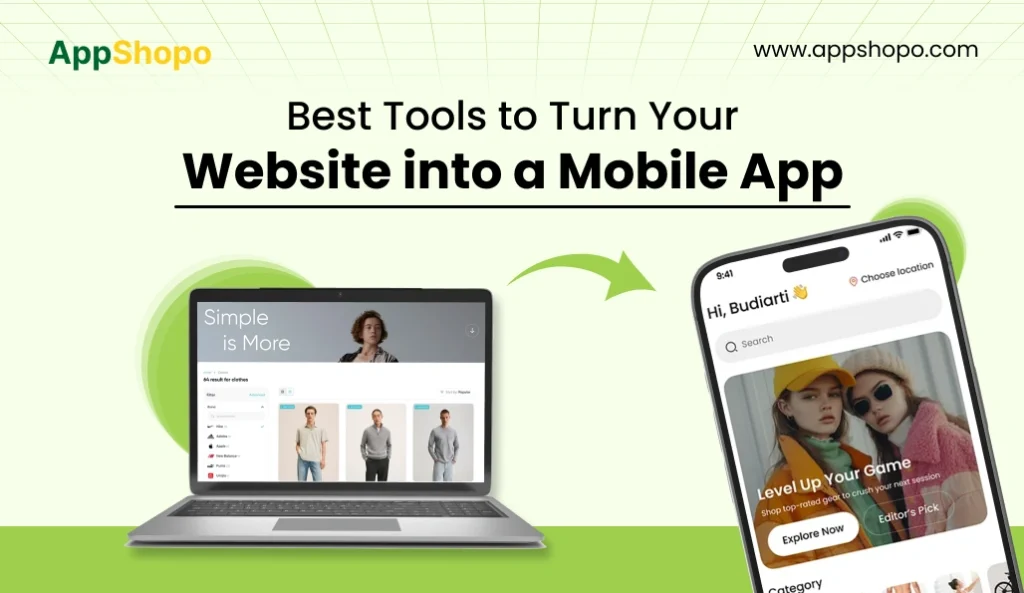
Website-to-app conversion is becoming a key move for businesses in 2026, as customers spend more time on mobile and expect faster, app-like experiences. This shift has made website-to-app tools more than just a convenience; they’re now a practical way to improve retention, enable push notifications, and keep users connected without building apps from scratch.
This guide highlights the best tools to turn your website into a mobile app in 2026, from a business and growth perspective. You’ll get a clear view of platforms that help launch Android and iOS apps faster, support branding, and reduce long-term maintenance through website syncing.
Whether you need a quick no-code converter, a PWA-first solution, or a tool that offers full app store publishing support, the list ahead gives you a practical starting point for choosing what fits your goals and budget.
In this blog we will be talking about the 15 Best Tools to Turn Your Website into a Mobile App in 2026 This blog is written based on the real experience and insights of our team members who have worked on website-to-app conversion projects.
TL;DR
- Website-to-app tools help launch Android and iOS apps faster.
- AppShopo is best for quick, business-ready app conversion.
- PWAs provide app-like installs without app store publishing.
- Push notifications improve retention and re-engagement for businesses.
- Choose tools based on budget, features, and technical needs.
Key Points
- Website-to-app platforms convert your site into mobile apps quickly, reducing time, cost, and development complexity in 2026.
- AppShopo offers fast conversion with branding, push notifications, PWA support, and app store submission for businesses.
- Users can install browser-based apps by using PWA solutions, which are faster in rollout and cheaper than native apps.
- Mobile app push notifications are a great attraction and support repeat visits, conversions, and customer loyalty significantly.
- Choose the most suitable tool by analyzing the support for Android/iOS, the possibilities for customization, help in publishing, and the long-term maintenance requirements.
Why Convert a Website into a Mobile App in 2026?
In 2026, converting a website into a mobile app is no longer a “big brand only” strategy, it’s a practical growth move for businesses of every size. A mobile-friendly website is great for visibility because it helps customers discover your brand through Google search, ads, and social media. But an app plays a different role. It is built for repeat users and long-term retention. Once your app is installed, your business becomes a permanent part of the customer’s phone, making it easier for them to return, browse faster, and take action without friction.
This is exactly why so many businesses are shifting from “just a website” to a website + app approach. A mobile app improves engagement because it offers smoother navigation, faster loading, saved login sessions, and features websites can’t match easily, especially push notifications. Push notifications are one of the strongest tools for re-engagement because they allow businesses to reach users directly with offers, reminders, order updates, and new content alerts. For ecommerce, service platforms, and content-based websites, this can significantly increase repeat visits and conversions.
The market data supports this shift strongly. According to Statista, US retail mobile commerce revenue is around $564 billion and is projected to grow beyond $850 billion by 2027, showing how rapidly customers are moving toward mobile-first shopping experiences. Shopify also reports that global ecommerce revenue is expected to reach $6.88 trillion in 2026, proving that online buying is increasing worldwide. Even Wikipedia’s definition of mobile commerce highlights buying and transactions through handheld wireless devices, making it clear that mobile is now the primary customer behavior.
Also Read: eCommerce vs mCommerce vs AppCommerce
Key Benefits of Turning a Website into an App
- More repeat visits & higher retention: Your app stays on the customer’s home screen, making access instant and returning effortless.
- Push notifications (biggest growth lever): Send offers, reminders, updates, and alerts to re-engage users and increase repeat actions.
- Better user experience: Apps feel faster, smoother, and more focused, removing browser distractions and improving navigation for users.
- Higher loyalty & conversions: Convenient app access increases engagement, builds trust, and encourages customers to purchase again over time.
- PWA option available: Users can install an app-like experience directly from browser, enabling faster access without app stores.
15 Best Tools to Turn Your Website into a Mobile App in 2026
In 2026, get to know the 15 most amazing website to app converters that allow you to create a mobile application from your website. The Android, iOS, and PWA alternatives are discussed in this guide along with their main features, benefits, and costs, making it easier for you to identify the ideal platform.
| Tool | Best For | Key Features (Short) | Estimated Price Range (2026) |
| AppShopo | Businesses, agencies, ecommerce startups | Android/iOS apps, branding, push notifications, PWA, store support | $99/month |
| MobiLoud | Ecommerce + content brands | Native apps, push notifications, website sync, publishing support | $339–$679/month + setup fee |
| GoNative | Content websites, portals | WebView builds, offline caching, uploads, deep linking, push | $49–$149/month |
| AppMySite | WordPress & WooCommerce stores | WordPress sync, WooCommerce, customization, push, preview/testing | Free–$249+/month |
| Appy Pie | Local businesses | Drag & drop builder, templates, website embedding | $16–$60+/month |
| WebViewGold | Small sites, budget projects | Android/iOS wrapper, offline pages, caching, customization | $80–$200 one-time (+ add-ons) |
| Median | SaaS, dashboards, internal tools | Authentication support, web app packaging, plugins | $50–$250+/month |
| Convertify | Small to mid-sized businesses | Quick setup, customization, push notifications (plan-based) | $19–$99/month |
| PWA Builder | PWA-first businesses & SaaS | Installable PWA, packaging for store submission | Free (publishing costs apply) |
| Ionic + Capacitor | Developer teams, startups | Convert web app to native apps, plugins, React/Angular/Vue | Free (developer cost applies) |
| Flutter WebView Wrappers | Flutter-focused teams | Wrap website into apps, scalable for Flutter expansion | Free (developer cost applies) |
| GoodBarber | Content creators, magazines | Native app structure + website content integration | $30–$100+/month |
| BuildFire | App-first business features | Integrations, mobile framework, web syncing | $150–$500+/month |
| Thunkable | Prototypes, MVPs | No-code logic, fast testing, simple web connection | Free–$45+/month |
| NativeScript Wrappers | Enterprise & advanced teams | Deep native access, hybrid wrapper options | Free (developer cost applies) |
1) AppShopo

AppShopo offers one of the fastest ways to convert a website into a mobile app in 2026. It’s built for businesses that want clean Android and iOS apps without complex development. The platform helps you launch quickly with branding, push notifications, and PWA support. If your goal is to turn website into app professionally, AppShopo is a strong choice for modern businesses.
- Converts website into Android and iOS apps
- Branding customization (icon, splash screen, UI)
- Push notifications for engagement
- PWA support for app-like installs
- App store submission support
2) MobiLoud

MobiLoud is a high-end site-to-app solution that provides native mobile applications based on your current website. It is particularly suitable for online stores and content brands, which seek to have active user interaction, receive push notifications, and enjoy dependable support. MobiLoud emphasizes the publishing and maintenance of apps that are fully managed by the provider, thus making it an attractive alternative for groups that like to have their service managed.
- Native iOS and Android apps powered by your site
- Push notifications and retention tools
- Website stays synced with app content
- Done-for-you publishing support
- Best for ecommerce and publishers
3) GoNative

GoNative is a flexible website to mobile app converter that uses WebView technology to wrap your website into Android and iOS apps. It supports many mobile features like offline caching, deep linking, file uploads, and device-level access. GoNative is ideal for content-heavy platforms and business sites that want app store presence with minimal redevelopment.
- WebView-based Android and iOS apps
- Push notification support
- Offline caching capabilities
- File upload and camera support
- Deep linking for better navigation
4) AppMySite

AppMySite is a popular website to app builder for WordPress and WooCommerce websites. It allows the users to change their website into Android and iOS apps while keeping the brand consistency and the store’s functionality. It is particularly beneficial for small- to medium-sized businesses that are quick-conversion-process oriented because of the preview tools, customization options, and push notification support.
- WordPress and WooCommerce sync
- Android and iOS app generation
- Push notification support
- Design customization options
- Preview and testing features
5) Appy Pie

Appy Pie is the app creation platform of no-code apps targeted at non-technical users who want to create mobile apps in a short time. It comes with drag-and-drop tools, pre-designed templates, and website embedding options. Appy Pie is ideal for small businesses that are looking for a straightforward app for services, bookings, menus, or mere business presence without a need for any development team.
- No-code, drag-and-drop builder
- Business templates and modules
- Converts website into app format
- Easy publishing options
- Best for local and service businesses
6) WebViewGold

WebViewGold is a wrapper-based solution that packages your website into Android and iOS apps using WebView. It’s often preferred for basic conversions and budget-friendly projects. The platform supports offline caching and limited customization, making it a good fit for informational websites and small businesses that want a simple app presence.
- Website wrapper apps for Android/iOS
- Offline pages and caching features
- Custom design options
- Suitable for basic website apps
- Budget-friendly approach
7) Median

Median is designed for SaaS platforms and web applications that want mobile app versions without rebuilding everything. It works well for login-based dashboards and web apps, supporting authentication, plugins, and app configuration. Median is ideal for companies that need stable packaging for web products and want to publish reliable Android/iOS apps.
- Best for SaaS and web dashboards
- Strong authentication support
- Plugin and customization support
- Wrap web apps into native shells
- Suitable for internal business tools
8) Convertify

Convertify is a website-to-app solution aimed at businesses that want fast conversion and simple customization. It focuses on quick setup, branding options, and push notifications depending on plan selection. Convertify is useful for small to mid-sized companies that want Android and iOS apps quickly, without spending heavily on custom development.
- Quick website-to-app conversion
- Basic customization controls
- Push notifications (plan-based)
- Supports Android and iOS builds
- Best for small businesses
9) PWA Builder

PWA Builder is best for businesses that want a Progressive Web App (PWA) strategy first. It helps you create installable PWAs from your website and can also support packaging for store submissions using wrappers. It’s low cost to start and ideal for teams who want app-like performance without building full native apps.
- Create installable PWA quickly
- Low-cost / free starting option
- Supports store packaging setup
- Ideal for web apps and SaaS tools
- Best for PWA-first strategies
10) Ionic + Capacitor

Ionic + Capacitor is ideal for developer teams who want high control and performance when converting a website or web app into native apps. It supports modern frameworks like React, Angular, and Vue, and it allows access to device features using plugins. This is best for companies wanting scalable app builds with flexibility.
- Convert web apps into Android/iOS apps
- Strong plugin ecosystem
- Works with React, Angular, Vue
- Better performance than basic wrappers
- Best for custom and scalable builds
11) Flutter WebView Wrappers

Flutter WebView wrappers allow teams to package a website or web experience into mobile apps while staying within the Flutter ecosystem. It’s useful when a company wants to publish fast and later rebuild or extend features using native Flutter development. This approach is better suited for technical teams planning long-term expansion.
- Wrap website into Flutter-based app shell
- Useful for fast prototype publishing
- Future scalability with Flutter
- Can later migrate to full Flutter apps
- Best for long-term development plans
12) GoodBarber

GoodBarber is a structured app builder that combines native app design elements with web content integration. It provides templates, layout options, and publishing support. GoodBarber suits brands that want a professional-looking app experience, especially content sites, magazines, and community portals that rely on structured presentation.
- Structured app templates and layouts
- Integrates web content into native apps
- Branding and design customization
- Publishing support available
- Best for content creators and magazines
13) BuildFire

BuildFire is an app-building platform focused on business use cases. It offers ready modules, integrations, and customization options to build an app experience rather than simply wrapping a website. BuildFire is ideal for businesses that want app-first features like loyalty, messaging, and engagement while still connecting web content where needed.
- Business-focused app modules
- Integrations for marketing and CRM
- App-first features beyond simple wrappers
- Web syncing options available
- Best for growing businesses
14) Thunkable

Thunkable is a no-code platform designed for building apps with custom logic. While not a direct wrapper tool, it can support simple web integration and is useful for creating prototypes and MVPs. Thunkable works best when you want fast experiments, app logic testing, and lightweight apps with limited web connectivity.
- No-code logic-based app builder
- Rapid prototyping and MVP creation
- Can connect web content and APIs
- Easy learning curve for beginners
- Best for testing app ideas quickly
15) NativeScript Wrappers

NativeScript wrappers give developers access to deeper native functionality while still using web technologies. It supports hybrid approaches where websites or web apps can be embedded, enhanced, and expanded with native features. NativeScript is best for advanced teams or enterprise environments where performance and device-level control are important.
- Deep access to native APIs
- Hybrid web + native app approach
- Suitable for enterprise-grade apps
- Supports customization and scaling
- Best for advanced development teams
Also Read: Top Shopify Mobile App Builders
How to Choose the Best Tool for Your Website
Choosing the right website-to-app tool depends on your goals, budget, and technical resources. If you want fast conversion with business-ready features, AppShopo is ideal. For a fully managed service with strong push notifications, MobiLoud fits best. If you prefer low-cost deployment using a PWA-first strategy, choose PWA Builder. For full control and deep customization, Ionic is best for developer-led projects.
- Fast conversion: Quickly convert your website into a mobile app without long development time, helping you launch faster in 2026.
- No coding: Choose tools that let you create apps without coding, making conversion simple for non-technical business owners.
- Android support: Ensure the tool can publish a smooth website into android app with stable performance and store-ready output.
- iOS support: Select platforms that support website into ios app publishing, including Apple App Store requirements and compliance support.
- PWA option: Pick tools offering PWA support so users can install your app directly from the browser without stores.
- Push notifications: Time-sensitive promotional alerts via push notifications should be the first of the tools, since they are the most effective in retaining customers, re-engaging them, and increasing the rate of conversion.
- Brand customization: Control of the brand identity, such as the use of logos, the display of the brand name, the selection of the colors of the theme, and the presentation of the menus, should be looked for as a part of the tools in order to provide the users with a professional experience.
- App store help: Going for tools that have play store and app store submission assistance features will minimize the number of rejections due to technical errors or delays in the approval process.
- Offline access: Tools that come with offline caching should be considered so that the most important pages are still accessible to the users without an internet connection; thus, the usability of the application and customer satisfaction levels are positively affected.
- Easy updates: The App which requires very low maintenance and update costs, is the one that does the syncing of the website changes automatically to the app.
Conclusion
Turning a website into a mobile application in 2026 is probably the easiest way to enhance user interaction, customer retention, and a smoother mobile experience, and it is all achievable without the trouble of developing everything from the ground up. The appropriate tool can grant you faster launching, reduce your expenses, and allow you to incorporate the increasingly necessary features like push notifications, offline access, and app store exposure to more easily reach users.
If you need a quick, business-ready solution that covers Android, iOS, and PWA options, AppShopo is the most recommended option for a majority of businesses. For a fully managed service that requires very little maintenance, MobiLoud is a tried and tested choice. And if you are looking for a web-based installable solution for speedy rollout, PWA Builder provides a smart PWA-first route.
FAQs
1) Is it possible to change my website to a mobile application without coding it?
Absolutely. There are various tools available for coding-free website to mobile app conversion. All you need to do is paste the URL of your site, select app preferences, refresh the branding like the logo and colors, and activate features such as push notifications. The majority of tools also provide support for publishing to the Android and iOS stores.
2) What will be the price for converting a website into an app in 2026?
The cost is primarily determined by the selected tool, the desired features, and the level of support. Some website-to-app builders offer very economical monthly plans, while advanced platforms with customization and store publishing assistance charge more. Additionally, the pricing may go up if you opt for push notifications, offline support, custom design, or ongoing maintenance services.
3) Which is better: a PWA or a native Android/iOS app?
A PWA is normally quicker and less expensive to bring to market and can be installed through the web browser without going through app stores. Apps made for specific platforms perform better, have more direct access to device functionalities, and get more exposure via Google Play and the Apple App Store. A lot of companies begin with PWA and then subsequently develop native apps.
4) What is the best tool to convert a website into a mobile app?
The best tool is determined by your objectives; however, AppShopo is a very good option for a majority of the companies. It gives you a speedy website-to-app conversion, builds for Android and iOS, push notification support, branding modifications and PWA features as well. It works perfectly for online retail, service brands, and startups that want to go to market quickly.
5) Will my website updates automatically reflect in the mobile app?
Most of the tools will allow it. Converters of website-to-app generally make use of dynamic loading to display your website content, which implies that any changes on your website will reflect in the app automatically. A few tools also allow for caching to improve speeds and give limited offline access. The automatic syncing will largely depend on the platform you choose and the plan you pick for the app.

Pankaj Arora
Founder, AppShopo

Pankaj Arora is a technology entrepreneur and the Founder of AppShopo, with over 10 years of experience in helping businesses transform websites into high-performing mobile apps. His expertise spans eCommerce app development, Shopify and WooCommerce integrations, mobile UX optimization, and scalable app delivery. Through AppShopo, Pankaj has enabled brands worldwide to launch fast, reliable Android and iOS apps that drive higher engagement, retention, and mobile sales.