Top 15 Best Website to App Conversion Tools in 2026
Running a business in 2026 means competing on the device people use most. Phones are where attention lives, decisions happen, and loyalty is built. Customers expect speed, clarity, and ease. When a mobile site feels slow or awkward, users do not wait around. They leave.
What we see in user behavior makes this shift impossible to ignore User behavior makes this shift impossible to ignore. Based on our research, 64 percent of consumers show a stronger preference for engaging with brands through mobile apps rather than mobile websites. This behavior points to a clear expectation. Users want immediate access, fluid navigation, and experiences that feel purpose-built for mobile screens rather than adapted from the web.
For years, building an app felt like a nightmare. Big developer costs, long timelines, endless revisions, and budgets that made most businesses back off. So many brands stayed stuck with mobile websites that never fully delivered the experience users wanted.
That gap has closed. Today, it is possible to turn an existing website into a mobile app using tools that build on what businesses already have. No massive rebuilds. No deep technical knowledge. Just practical solutions that reduce effort, time, and risk.
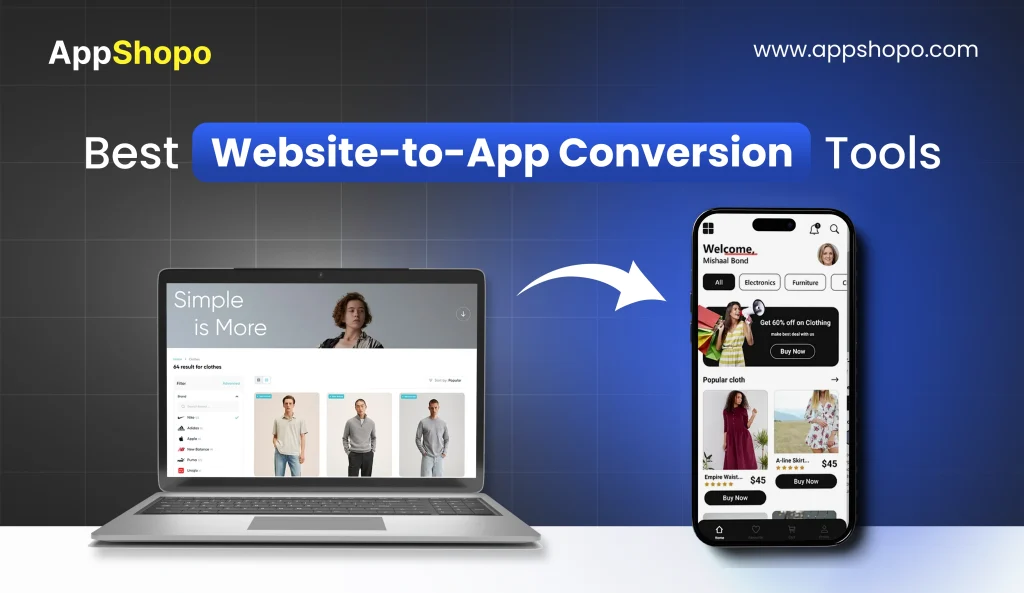
We researched the current landscape in depth and identified the 15 best website to app conversion tools available right now. Each option takes a different approach. Some focus on speed. Others offer flexibility or fully managed services. Our guide brings those options together to help you choose the smartest path to move your website into a mobile app in 2026 with clarity and confidence.
- Website-to-app tools help turn an existing site into a mobile app without rebuilding everything from scratch.
- Businesses use these tools to launch faster, spend less, and avoid long development cycles.
- Apps improve engagement through push notifications, offline access, and a home-screen presence.
- Most tools sync directly with the website, so updates happen automatically without extra work.
- The right platform makes moving a website into a mobile app practical, scalable, and stress-free.
- Website-to-mobile-app tools help businesses launch apps faster without rebuilding everything from scratch or hiring large dev teams.
- These tools improve user engagement by offering push notifications, smoother navigation, and a distraction-free mobile experience.
- Most platforms sync directly with your website, so updates, prices, and content stay consistent without extra effort.
- Options range from no-code builders to developer frameworks, making it easier to choose based on budget and skill level.
- The right conversion tool can boost brand visibility, retention, and long-term growth with far less technical stress.
Benefits of Website-to-App Conversion Tools
Turning a website into a mobile app is not a cosmetic upgrade. It reshapes how users interact with your brand, how often they return, and how reliable the experience feels. Website to app tools focus on removing everyday friction that mobile websites struggle to eliminate.
- Faster Access Without Extra Effort
Once an app is installed, access becomes instinctive. Users tap an icon instead of typing URLs or reopening browser tabs. That small reduction in effort has a big impact. Faster entry lowers resistance, encourages repeat visits, and increases the time users spend exploring. Convenience quietly drives engagement.
- Better User Experience on Mobile
Mobile websites adapt to smaller screens. Apps are built for them. Navigation follows natural thumb movement. Pages load cleanly. Interactions feel intentional rather than improvised. Users stop adjusting screens or waiting for elements to respond. When an experience feels effortless, users stay focused on what matters instead of the interface.
- Stronger Customer Engagement
Apps change user behavior by being present on the device itself. Push notifications bring users back at the right moment. Updates reach them instantly. Interactions feel direct and personal instead of transactional. Over time, the app becomes familiar, which increases usage frequency and strengthens the relationship with your brand.
- Offline Access and Reliability
Apps are more resilient than mobile websites. Key content and features can remain accessible even when connectivity drops. This reliability matters during travel, in low bandwidth areas, or during peak usage times. Users notice when an experience continues to work without interruption, and that reliability builds long-term confidence.
- Improved Brand Presence and Trust
An app icon on a home screen reinforces visibility every day. It signals commitment, stability, and professionalism. Visual consistency across screens strengthens brand recall and trust. Many users instinctively view apps as more secure and reliable than mobile websites, which helps reinforce confidence without requiring explanation.
Together, these benefits turn casual visitors into repeat users and occasional customers into loyal ones. Website to app conversion tools make that shift practical, efficient, and achievable for modern businesses.
Also Read: Shopify Mobile App Builders: Top Affordable Options
Top 15 Website-to-App Conversion Tools
Choosing the right website-to-app tool can feel confusing. This table breaks down each option clearly, showing what makes them useful and who they actually work best for.
| Tool | USP | Best For |
| AppShopo | Fully managed website to app conversion with branding and store launch | Ecommerce brands wanting a fast, hands-off launch |
| WebViewGold | Lightweight webview app with offline support | Tech-savvy users needing a simple wrapper |
| Median.co | Secure app container with enterprise controls | Internal and enterprise apps |
| Appy Pie | No-code app builder with ready templates | Beginners building their first app |
| Glide | Turns data into simple functional apps | Internal tools and dashboards |
| Thunkable | Visual logic builder without coding | Non-developers wanting customization |
| MobiLoud | Optimized for content sites with push tools | Blogs and media publishers |
| AppMySite | Converts WordPress and WooCommerce sites | WordPress-based businesses |
| Twinr | Quick website to app conversion | Startups testing mobile presence |
| BuildFire | Plugin-based scalable app builder | Growing businesses |
| AppPresser | Deep WordPress app integration | Advanced WordPress users |
| GoodBarber | Design-focused app builder | Brands focused on UX |
| Ionic Appflow | Wraps modern web apps into native apps | Teams with existing web apps |
| WebIntoApp | Android-focused website to app tool | Content sites on Android |
| Convertify | Simple Android app conversion | Small businesses launching fast |
1. AppShopo

AppShopo is designed for businesses that want a professional mobile app without getting involved in technical decisions. It works by converting an existing website into a native app while managing the entire journey, from initial setup to store approval. The platform is especially useful for ecommerce brands that want a reliable app presence without slowing down daily operations.
Instead of asking teams to learn new tools or coordinate with developers, AppShopo keeps the process simple and guided. The result is an app that feels stable, polished, and aligned with business goals rather than a rushed extension of a website.
Key features
- End-to-end app creation that removes the need for internal technical resources.
- Branding that closely follows the original website to maintain a consistent identity.
- Complete handling of App Store and Play Store submissions to reduce approval risks.
- Regular updates to keep the app aligned with website changes and platform policies.
- Performance-focused structure that improves speed and usability for online stores.
2. WebViewGold

WebViewGold offers a direct and minimal approach to website to app conversion. It places an existing website inside a native app container, making it accessible through app stores with limited modification. This tool is best suited for users who understand how web technologies work and want full control over their setup.
Rather than adding many layers or features, WebViewGold focuses on stability and simplicity. It assumes the website is already mobile-friendly and relies on that foundation to deliver the app experience.
Key features
- Website displayed inside a native app structure without heavy customization.
- Offline storage for previously visited pages to improve reliability.
- Push notifications for basic communication with users.
- Support for both Android and iOS platforms.
- Suitable for responsive websites that already perform well on mobile.
3. Median.co

Median.co is built for organizations where security and access control matter more than speed of deployment. It converts web applications into mobile apps while adding strong safeguards that protect company data and user activity.
This platform is commonly used for internal tools, employee portals, and restricted access systems. Instead of focusing on public engagement features, Median.co prioritizes compliance, governance, and controlled distribution.
Key features
- Advanced login and authentication methods that limit unauthorized access.
- Secure app container that separates business data from personal device data.
- Device-level management options to enforce organizational policies.
- Private app distribution is suited for internal teams.
- Infrastructure designed to meet enterprise security expectations.
Read Also: Top 15 Best Shopify Mobile App Builders
4. Appy Pie

Appy Pie targets users who want to build an app without technical experience. It offers a visual interface that allows users to assemble an app using templates and ready components. This makes it popular among small businesses and individuals exploring mobile apps for the first time.
The platform focuses on ease of use rather than advanced customization. It works well for testing ideas, launching simple apps, or creating a basic mobile presence without long setup times.
Key features
- Visual editor that allows app creation without writing code.
- Ready templates for common business and content needs.
- Built-in features like menus, forms, and notifications.
- Guidance for publishing apps on major app stores.
- Suitable for early-stage projects and small-scale use cases.
5. Glide

Glide takes a different approach by focusing on data-driven apps rather than traditional website conversion. It turns structured data into mobile apps that are easy to use and quick to update. This makes it ideal for internal tools where clarity and speed matter more than branding.
Instead of managing pages and layouts, users manage data. The app updates automatically as the data changes, which keeps information accurate without manual effort.
Key features
- App creation powered by spreadsheets and connected data sources.
- Fast deployment with minimal configuration steps.
- Clean interface designed for practical daily use.
- Strong fit for dashboards, trackers, and internal workflows.
- Automatic updates based on changes in the underlying data.
6. Thunkable

Thunkable is built for users who want more control than basic no-code tools without stepping into full-scale development. It allows you to convert web content and logic into mobile apps using visual building blocks. This makes it a strong option for teams that want customization without learning traditional programming.
Thunkable stands out because it lets users define how an app behaves, not just how it looks. That balance between flexibility and accessibility makes it popular for functional business apps and interactive projects.
Key features
- Visual logic blocks that control app behavior and user flows.
- Ability to connect web content, APIs, and external services.
- Cross-platform app creation for Android and iOS.
- More customization options than template-based builders.
- Suitable for functional apps beyond simple website wrappers.
7. MobiLoud

MobiLoud is designed specifically for content-driven websites that want a native app experience. It converts blogs, news sites, and media platforms into mobile apps while keeping content synced automatically.
Rather than offering general-purpose app building, MobiLoud focuses on engagement. It helps publishers increase repeat visits and reader loyalty through mobile-first features that websites struggle to deliver consistently.
Key features
- Automatic content syncing from the website to the app.
- Strong push notification tools for audience engagement.
- Native performance optimized for reading and browsing.
- Support for monetization and advertising integrations.
- Reliable publishing and update management.
8. AppMySite

AppMySite focuses on turning WordPress and WooCommerce websites into native mobile apps without requiring redevelopment. It keeps the app connected to the website so products, content, and updates stay in sync.
This platform works well for small and medium businesses that already rely on WordPress and want to extend their presence to mobile apps quickly and affordably.
Key features
- Direct integration with WordPress and WooCommerce websites.
- Real-time syncing of content, products, and orders.
- Native app features layered on top of the website.
- Custom branding options to match the original site.
- Simple setup without coding requirements.
Also Read: How to Convert Shopify Store to Mobile App
9. Twinr

Twinr is built for speed and simplicity. It converts a website into a mobile app quickly, making it useful for startups and small teams that want to test mobile presence without heavy investment.
The platform focuses on fast deployment rather than deep customization. It works best when the goal is to validate an idea or provide basic app access to an existing website.
Key features
- Fast website to app conversion process.
- Lightweight customization for branding and layout.
- Push notification support for user updates.
- Android and iOS app publishing assistance.
- Suitable for quick launches and early testing.
10. BuildFire

BuildFire is a modular app builder designed for businesses that plan to grow their app over time. It allows website content to be combined with plugins and native features to create more advanced mobile experiences.
Instead of focusing only on conversion, BuildFire supports long-term app development. This makes it a good choice for businesses that see their app as a core channel rather than an add-on.
Key features
- Plugin-based architecture for adding new features
- Support for content, ecommerce, and user engagement tools.
- Scalable structure suitable for growing businesses.
- Cross-platform deployment for Android and iOS.
- Flexibility to evolve beyond basic website conversion.
11. AppPresser

AppPresser is built specifically for WordPress users who want their mobile app to feel deeply connected to their website rather than simply displaying web pages. It works by integrating directly with WordPress content, users, and plugins, which allows the app to behave more like a native product.
This makes AppPresser a strong choice for businesses that rely on WordPress for memberships, gated content, learning platforms, or dynamic user experiences. Instead of rebuilding workflows, the app extends what already exists on the site and delivers it in a mobile-friendly format.
Key features
- Deep integration with WordPress posts, pages, users, and custom content types.
- Support for native app features layered on top of WordPress functionality.
- Flexible customization options that go beyond simple website wrapping.
- Ability to use existing WordPress plugins inside the app environment.
- Well suited for content-heavy, membership-based, or community-driven sites.
12. GoodBarber

GoodBarber is known for its strong focus on design quality and user experience. It allows businesses to turn websites and content into visually polished mobile apps that feel intentionally designed rather than adapted from the web.
The platform appeals to brands that care about how users perceive their app from the first interaction. Navigation flows smoothly, layouts feel balanced, and design consistency helps reinforce brand identity. This makes GoodBarber popular with consumer-facing brands, media companies, and ecommerce stores that prioritize presentation.
Key features
- Professionally crafted templates optimized for mobile interaction.
- Built-in tools for managing content, products, and user engagement.
- Strong emphasis on clean layouts and intuitive navigation.
- Push notification tools designed for ongoing user interaction.
- Ideal for brands that treat design as a competitive advantage.
13. Ionic Appflow

Ionic Appflow is designed for teams that already maintain a modern web application and want to distribute it as a mobile app without rebuilding it from scratch. It wraps web apps into native containers while supporting advanced deployment workflows.
Rather than targeting beginners, Appflow fits development teams that value automation, consistency, and control. It integrates well into existing development pipelines and helps teams manage updates and releases efficiently across platforms.
Key features
- Converts modern web applications into native mobile builds.
- Supports automated build and deployment workflows.
- Fits easily into existing web development processes.
- Simplifies app store publishing for web-based products.
- Best suited for teams managing actively developed web apps.
14. WebIntoApp

WebIntoApp focuses on helping websites reach Android users quickly. It converts responsive websites into Android apps with minimal setup, making it a practical option for content-driven platforms and blogs.
The platform keeps the process straightforward. Instead of complex customization, it emphasizes speed, accessibility, and essential mobile features. This approach works well when the goal is presence and reach rather than deep native functionality.
Key features
- Quick conversion of responsive websites into Android apps.
- Push notification support to bring users back regularly.
- Monetization options such as ad integration.
- Simple setup designed for nontechnical users.
- Well suited for blogs, publishers, and content websites.
15. Convertify

Convertify is aimed at small businesses that want an app without committing to long development cycles or high costs. It offers a straightforward way to turn a website into a mobile app, with a strong focus on speed and simplicity.
This tool works best when businesses want basic app functionality and visibility on app stores without advanced customization. It is commonly used for early launches, local businesses, and simple service websites.
Key features
- Fast website to app conversion with minimal configuration.
- Basic branding options to reflect the existing website identity.
- Push notifications for announcements and promotions.
- Android-focused deployment for faster publishing.
- Suitable for small teams and quick market entry.
Read Also: B2B Ecommerce Growth: Why Mobile Apps Matter
Why AppShopo Stands Out as the Best Website-to-App Builder in 2026?
AppShopo stands out because it removes friction from every stage of mobile app creation. Instead of adding technical load to already busy teams, it delivers a reliable mobile app experience built specifically for Shopify brands that care about growth, speed, and consistency. The focus is not just on launching an app but on making sure it performs well long after launch.
Below are the key reasons AppShopo continues to lead as the most practical website to app builder in 2026.
- Fast launch without momentum loss: Apps typically go live within days, not months. There is no rebuilding of the store and no long feedback loops. This keeps marketing plans, seasonal sales, and growth timelines on track.
- Predictable costs without development overhead: The no-code approach removes the need for in-house developers or external agencies. Businesses avoid unexpected expenses and can plan budgets with confidence instead of reacting to technical surprises.
- Complete setup handled end to end: Design, configuration, testing, and app store approvals are managed as part of the process. Internal teams stay focused on operations while the app is built and prepared in parallel.
- Automatic updates without manual effort: The app stays current through background updates and platform-level improvements. There is no need to monitor versions or request fixes. Stability is maintained quietly and consistently.
- True native app performance: The app loads quickly, responds smoothly, and feels natural to use. Navigation is clean and interactions feel intentional, creating a mobile experience that matches user expectations.
- Instant sync with Shopify changes: Product updates, pricing changes, and content edits made on Shopify are reflected in the app immediately. This removes duplication of work and ensures accuracy across channels.
- Direct and timely customer communication: Push notifications allow brands to reach users instantly with relevant updates. Messages arrive at the right moment instead of getting lost among emails and ads.
- More personal engagement inside the app: In-app messaging creates a direct line to users. Promotions, updates, and reminders feel more intentional and less intrusive, which improves response rates.
- Exclusive value for app users: App-only offers, early access, and special rewards give users a reason to stay engaged. This sense of exclusivity strengthens loyalty without relying on constant discounts.
Taken together, these strengths make AppShopo more than a conversion tool. It becomes a long-term mobile channel that supports growth, engagement, and operational clarity for Shopify brands in 2026.
Conclusion
Moving a website into a mobile app in 2026 is no longer a risky leap. It feels more like a practical step. The tools covered here show how flexible this space has become. Some focus on speed, others on control, and a few handle everything for you. The right choice really depends on how hands-on a business wants to be. What matters most is that turning a website into a mobile app now fits real budgets, real timelines, and real teams.
Apps help brands stay closer to customers, feel more present, and remove friction people rarely talk about but always feel. When mobile experiences feel easy, users return without thinking. That quiet habit is powerful.
Choosing the right tool today sets the tone for growth tomorrow, without stress, without long waits, and without forcing businesses to become tech companies overnight. Visit the AppShopo and turn your website into an engaging mobile app.
Also Read: How to Build an Ecommerce App: Step By Step Guide
FAQ’s
1. Will converting my website into a mobile app mess up my existing SEO?
Actually, it’s quite the opposite because having a presence in the app stores usually helps your brand’s overall visibility. When you turn your website into a mobile app, the app and the site live in different worlds, but they share the same heart. The tools used for this conversion ensure that your web traffic stays intact while the app provides a separate, dedicated channel for your most loyal fans to hang out. Plus, Google often likes seeing that a brand is established enough to have a legit app, which can sometimes give your web rankings a nice little nudge.
2. How much does it really cost to turn a website into a mobile app in 2026?
Price tags are all over the place, kind of like trying to buy a coffee in downtown London. If you use a simple DIY wrapper tool to transform your website into a mobile app, you might only be looking at a few hundred bucks a year. But, if you want all the fancy bells and whistles like biometric login or advanced AR features, you might need to shell out more for a premium managed service. It really comes down to whether you want a basic digital business card or a high-performance engine that users can’t stop clicking.
3. Is it possible to keep my site’s design when I convert my website into a mobile app?
Most people worry their app will look like a weird, stretched-out version of their site, but modern tools are pretty smart about this. When you transition your website into a mobile app, the software usually adopts your CSS and brand colors so everything feels familiar to your users. You can even tweak the mobile navigation to include those handy bottom tabs that people expect on their phones. It’s basically giving your website a tailored suit that fits perfectly on a smaller screen.
4. Do I need to know how to code to turn my website into a mobile app?
Not even a little bit, unless you just enjoy staring at lines of green text like you’re in the Matrix. Most of the top-tier tools in 2026 are designed for people who can barely handle an Excel sheet. You just plug in your URL, and the tool does the heavy lifting to morph your website into a mobile app automatically. They handle the submission to the Apple App Store and Google Play too, which is honestly the biggest headache you’ll be happy to skip.
5. What happens to the app when I update my site after I convert the website into a mobile app?
This is the best part—you don’t have to do the work twice. Since the conversion tools usually create a “sync” between the two, any blog post you publish or product you add to your site shows up instantly inside the app. When you turn your website into a mobile app this way, it acts like a mirror. You keep managing your site just like you always have, and the app users see the fresh content without you needing to push a single update to the app stores.

Pankaj Arora
Founder, AppShopo

Pankaj Arora is a technology entrepreneur and the Founder of AppShopo, with over 10 years of experience in helping businesses transform websites into high-performing mobile apps. His expertise spans eCommerce app development, Shopify and WooCommerce integrations, mobile UX optimization, and scalable app delivery. Through AppShopo, Pankaj has enabled brands worldwide to launch fast, reliable Android and iOS apps that drive higher engagement, retention, and mobile sales.