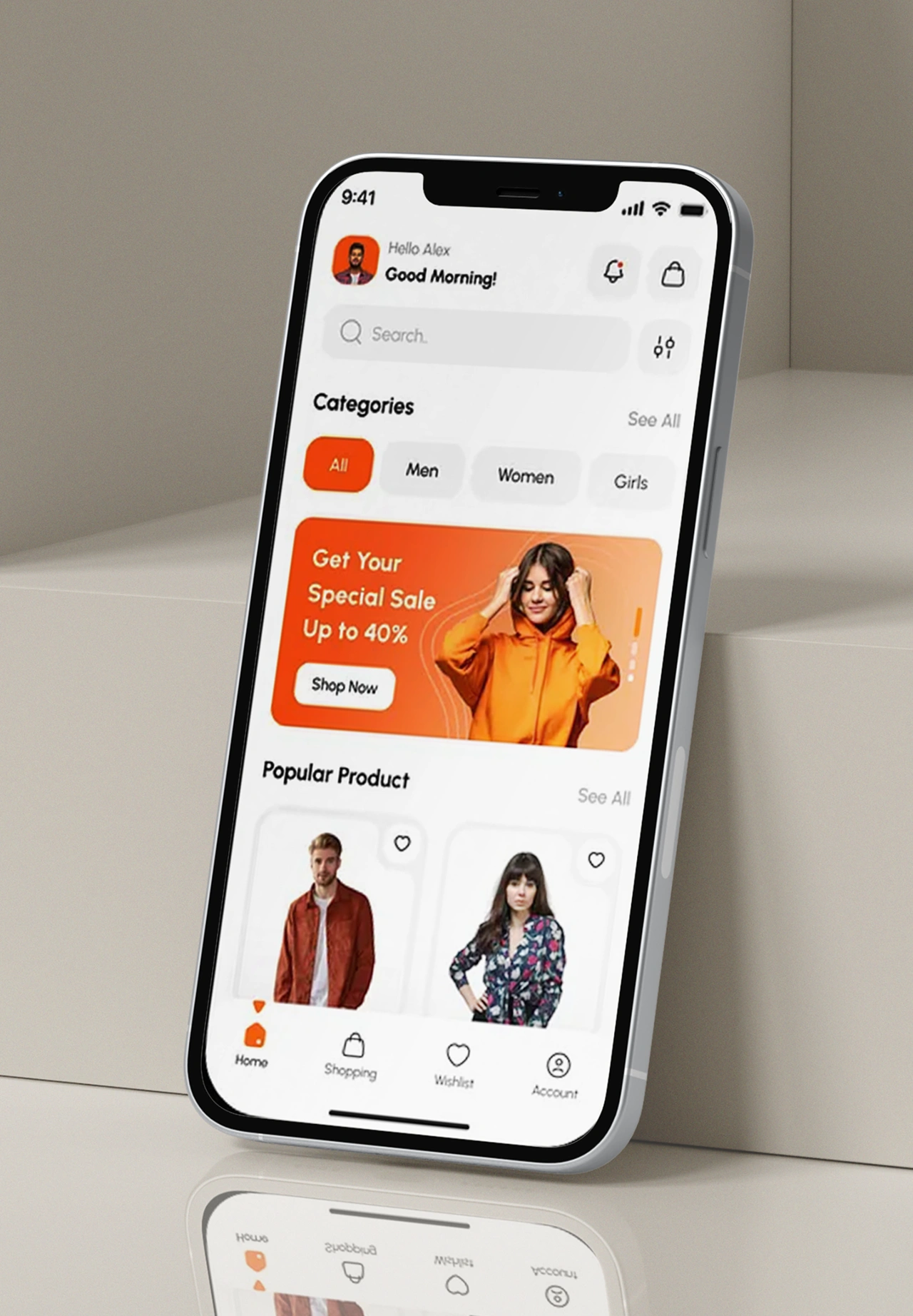
Shopify Seasonal App Design Strategies That Convert
As Shopify is still the major player in the global eCommerce ecosystem, the competition among merchants has become very intense. In fact, product quality or pricing does not solely drive success anymore. The customer experience, particularly on mobile, has become the ultimate factor.
Through various touchpoints, consumers interact with brands, but mobile applications remain the primary channel for repeat purchases, increased engagement, and brand loyalty. On the other hand, numerous Shopify stores are committing a fatal error: they consider their mobile app as a static resource.
This is the point where seasonal app design gets the opportunity to change the game.
Seasonal app design enables Shopify merchants to have a mobile app experience that is dynamically aligned with the seasonal demand, cultural moments, shopping psychology, and time-sensitive intent. The strategic execution of it can significantly increase an app’s value from simply being a sales channel to a revenue engine with a high level of performance.
This exhaustive manual delves into the workings of seasonal app design, its importance, and the ways by which Shopify stores can effectively implement it to be always relevant, competitive, and profitable.
TL;DR
- Seasonal app design adapts Shopify apps to changing customer intent
- Timely design updates improve engagement and conversion rates
- Seasonal visuals and collections increase relevance during peak demand
- Strategic updates outperform static mobile app experiences
- Tools like AppShopo simplify seasonal app updates
Key Points
- Shopify is still the leader of worldwide eCommerce for the most part, but the increasing number of competitors means that customer experience, particularly mobile experience, is now what really decides the business success.
- Consumers interact with the brand through multiple touchpoints; however, mobile apps are still the most powerful channel for repeat purchases, engagement, and long-term brand loyalty.
- It is a pity that a considerable number of Shopify merchants are making a grievous error in which they consider their mobile app as a fixed, non-interactive digital asset.
- Seasonal app design changes this by making app experiences seasonal in line with demand, cultural moments, shopping psychology, and time-sensitive customer intent.
- This detailed guide defines seasonal app design, the reasons why it is important, and how Shopify stores can use it to stay competitive and make more profits.
What Is Seasonal App Design?
Seasonal app design is a planned change in a mobile app’s appearance and vibe, visual elements, content hierarchy, messaging, and promotional structure to mirror different seasons, holidays, festivals, or time-bound commercial events.
Seasonal app design is not about having the same interface for the whole year. It brings in relevant, situational changes that go along with customers’ mentality and purchasing of certain periods.
These updates often include:
- Seasonal homepage banners and hero sections
- Limited-time product collections or curated categories
- Promotional messaging aligned with seasonal intent
- Contextual navigation labels
- Campaign-based push notifications
The purpose is not aesthetic change alone. Seasonal app design exists to increase relevance, trigger urgency, and reduce friction in decision-making.
Importantly, effective seasonal app design does not require full redesigns. Instead, it focuses on modular updates that preserve brand consistency while adapting to seasonal behavior patterns.
Also Read: Why B2B Ecommerce Brands Need Mobile Apps to Scale
Seasonal App Design Strategies
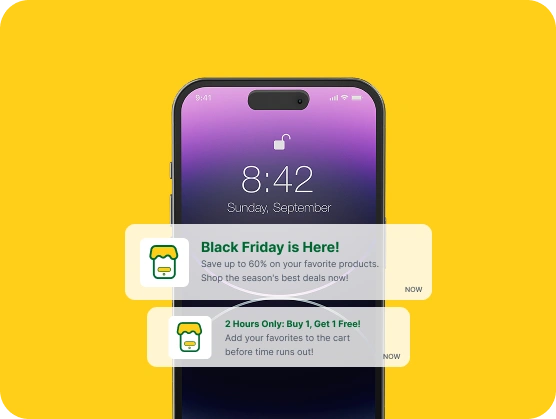
Seasonal app design is a strategy very popularly used by Shopify stores to keep up with the ever-changing customer demand through their mobile experience. By these means, merchants do not have to maintain the app as a mere static, but on the contrary, they have to make a lot of timely changes that help them be more relevant, engage more users, and have more conversions during these periods, which can be festivals, sales events, or even seasonal demand shifts; thus, the app becomes a potent growth channel.
1. Reprioritize Homepage Content for Seasonal Intent
Shoppers come with a clear idea of what they want to do and have a limited amount of time during seasonal periods. By changing the homepage content to feature the seasonal collections, bestsellers, and limited-time offers prominently, users are ensured to see right away what is the most important. This lessens the interaction with the site, the decision-making process is made quicker, and the conversion rates get better for those moments when the shopping intention is high.
- Move seasonal banners and offers to the top
- Highlight best-selling seasonal products
- Reduce visibility of non-seasonal sections
- Use clear seasonal CTAs and messaging
- Ensure homepage performance during peak traffic
2. Use Seasonal Visual Themes Without Breaking Brand Identity
Seasonal visuals not only increase the appeal of a product but also don’t mix up the usual customers. A few modifications in the front, such as a holiday banner, a seasonal touch, or a character related to the theme, make the application feel more or less the same as the current season, and at the same time, the application keeps its character. Sticking to the core branding returns the same vibe, confidence, and uninterrupted flow of the user even if the seasonal updates are frequent.
- Maintain consistent fonts and layout
- Apply seasonal colors in moderation
- Use temporary hero banners and visuals
- Avoid drastic UI or navigation changes
- Preserve brand tone and identity
3. Create Curated Seasonal Collections for Faster Discovery
Seasonal shoppers may be looking for certain items such as gifts or necessities. Curated collections take care of the assortment of products by dividing them into small, focused categories, thus making the discovery of the products quicker and easier. By using this method, the consumers are facilitated in moving through the site, their search effort is lowered, and the chances of their completing the purchase during the time of peak seasonal demand get higher.
- Build festival- or event-based collections
- Create gifting or price-based categories
- Feature limited-edition seasonal products
- Place collections prominently in navigation
- Remove or update collections post-season
4. Align App Design With Seasonal Marketing Campaigns
Consistency across marketing channels is one of the ways that a company can build trust with customers and inturn improve conversions. When the design of an app is similar to that of ads, emails, and push notifications, users feel continuity. By this alignment, confusion is lowered to a minimum, the campaign messaging is strengthened, and the seasonal marketing efforts get to the highest level of their effectiveness at the consumers’ all touchpoints.
- Match in-app banners with ad creatives
- Use consistent campaign messaging
- Link notifications to relevant pages
- Support campaign-specific landing pages
- Maintain offer clarity across channels
5. Design for Urgency and Time-Sensitive Buying
Seasonal purchases are driven by urgency and limited availability. Design elements should clearly communicate deadlines, stock levels, and delivery cutoffs. A focused layout combined with urgency cues encourages quicker decisions without overwhelming users or harming the overall shopping experience.
- Display offer expiry dates clearly
- Highlight limited stock availability
- Use countdowns where appropriate
- Show delivery cutoffs prominently
- Avoid clutter during peak campaigns
6. Optimize Navigation for Seasonal Shopping Behavior
Temporary navigation updates help users reach seasonal products faster. Adding seasonal labels or shortcuts supports goal-oriented browsing common during festivals and sales events. Clear navigation reduces confusion, improves usability, and keeps users focused on relevant products.
- Add seasonal categories to menus
- Create quick-access seasonal shortcuts
- Prioritize seasonal items in navigation
- Keep navigation simple and intuitive
- Restore default navigation after the season.
7. Simplify Checkout for Peak Traffic Periods
Checkout friction leads to abandoned carts, especially during high-demand seasons. Simplifying checkout ensures users complete purchases quickly and confidently. Fast performance, minimal steps, and clear offer visibility are critical to converting seasonal traffic into revenue.
- Reduce unnecessary checkout steps
- Ensure fast and stable performance
- Highlight seasonal discounts clearly
- Support multiple payment options
- Display trust and security signals
8. Analyze Performance and Improve After Every Season
Seasonal app design improves through continuous learning. Analyzing performance after each season helps identify winning layouts, collections, and messaging. These insights allow Shopify stores to refine future strategies and build repeatable seasonal success.
- Review conversion and engagement metrics
- Identify top-performing collections
- Analyze drop-off and exit points
- Document design and campaign learnings
- Apply insights to future seasons
Read Also: How to Turn Shopify Store into a Mobile App
Know Your Seasonal Moments
Not every season is equally valuable for every Shopify store. Identifying the right moments is the foundation of effective seasonal app design.
| Category | Examples | Business Impact |
| Global Sales Events | Black Friday, Cyber Monday | Revenue spikes, high-intent traffic |
| Cultural & Regional Festivals | Diwali, Eid, Lunar New Year | Emotion-driven purchasing |
| Industry-Specific Seasons | Winter apparel, summer lifestyle | Product relevance peaks |
| Promotional Cycles | Anniversary sales, clearance | Inventory and cash flow optimization |
| Behavioral Triggers | New Year resolutions, back-to-school | Lifestyle-driven demand |
Understanding which of these moments align with your audience allows you to focus design efforts where they matter most.
Seasonal app design works best when it supports customer intent, not just the calendar.
Why Is Seasonal Design Important in eCommerce?
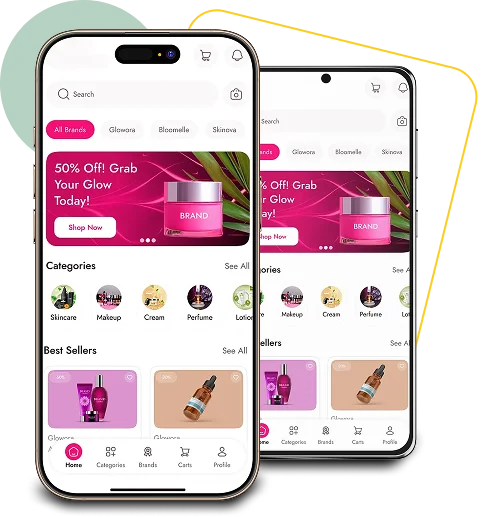
Seasonal design carries a significant role in the online business sector to a large extent, as the customers’ intent, emotions, and purchasing behavior vary during different times of the year. Throughout festivals, big sales, or changes in the season, buyers are generally more eager, and they have less time available. A seasonal application design is in line with the user’s shopping experience at these times; thus, products, offers, and messages appear as if they are from the same era, are of the same nature, and are easier to simply carry out, which in a direct way leads to the positive influence of both engagement and conversions.
- Aligns with customer mindset: Seasonal visuals and messaging match how customers think and shop during specific periods, improving relevance and trust.
- Creates urgency and faster decisions: Time-bound design elements highlight limited availability, encouraging quicker purchases and reducing hesitation.
- Improves product discovery: Curated seasonal collections help users find relevant products faster without unnecessary browsing.
- Strengthens emotional connection: Festive or seasonal themes make the shopping experience feel engaging and emotionally appealing.
- Boosts conversion rates: Clear focus on seasonal demand increases the likelihood of turning high-intent visitors into buyers.
- Enhances campaign effectiveness: Seasonal design ensures in-app experience matches ads, emails, and push notifications for better results.
When Should Your App Design Change?
Your app layout needs to be different whenever there is a distinct change of user intent, shopping motivation, or purchasing behavior. It is not the case that you have to redesign your app for every little event. The emphasis should rather be on doing a few, well-timed updates to those moments that have a direct effect on demand, urgency, and buying decisions.
Seasonal app design is most effective at times of major impact when customers are already in the right mental state to shop. At such times, even a minor design change like a banner, a collection, a navigation label, or a piece of messaging can really lift the user engagement and conversion rates.
- Major sales events (Black Friday, Cyber Monday): These are the events that usually bring in the people who are ready to buy and are just looking for the best deal. The app layout should be focused on giving the users the offers, discounts, and the quickest access to the products so that they can make their decision fast.
- Cultural or regional festivals: Festivals mostly result in purchases that are driven by the customer’s emotions and the buying of gifts. The seasonal visuals and the selected collections not only make your app look more culturally relevant but also more attractive to the users.
- Seasonal product demand changes: There are products that, by the nature of things, will be sold more in one season than in another. By updating your app to feature these products, you not only become more relevant but also lessen the users’ need to browse.
- Annual brand campaigns or anniversaries: These are the moments that work best for presenting brand worth, loyalty rewards, or giving away exclusive offers through focused app design changes.
- Lifestyle-driven moments (back-to-school, New Year): Changes in lifestyle are the creation of new needs and the changing of priorities. The seasonal app design is instrumental in leading customers to products that are the perfect fit for their new routines.
The goal is always the same: align your app experience with moments when customers are most ready to buy, ensuring your design supports their intent rather than competing with it.
Also Read: Top 15 Best Shopify App Builders
How to Prepare Your App Design for Seasonal Campaigns
It takes a planned, phased approach to have your app design ready for seasonal campaigns. Seasonal wins are not the result of a last-minute visual update but rather an outcome of early preparation, a focused execution, and a post-season optimization. Breaking down the seasonal app design into different phases is a way of maintaining consistency, performance stability, and getting good conversion results during the periods of peak demand.
1. Before the Seasonal Peak
This phase focuses on preparation and readiness. Seasonal design elements should be planned, designed, and tested well before customer demand rises. Early preparation reduces technical risk, improves performance reliability, and ensures your app launches the campaign smoothly without disruptions when traffic begins to surge.
- Finalize seasonal visuals and promotional creatives: Design banners, icons, and themes that reflect seasonal messaging while maintaining brand consistency, ensuring the app feels festive without confusing repeat customers.
- Reorganize homepage layout based on seasonal priorities: Move seasonal collections, best-selling products, and limited-time offers to high-visibility positions to immediately capture attention when users open the app.
- Create dedicated campaign landing pages: Build focused landing pages that match ads, emails, and notifications, providing users with a consistent and conversion-optimized campaign experience.
- Test navigation, performance, and checkout flow: Simulate high-traffic conditions to ensure fast load times, smooth navigation, and stable checkout, preventing drop-offs caused by technical issues.
- Schedule push notifications and in-app messages: Plan communication timing in advance to support campaign phases while avoiding over-notification that may reduce engagement or cause opt-outs.
2. During the Seasonal Peak
At that time execution speed and conversion efficiency are the main concerns. The customers go to the store or browse the site with a clear intention of making a purchase, thus it is the obligation of the application to provide an easy, dependable, and comfortable experience that will take the customers to the payment stage in the quickest way possible.
- Highlight best-selling and high-demand seasonal products: Through the use of notable positions and visual highlights, customers are guided to top-selling products, thereby speeding up their choice without the requirement of lengthy surfing.
- Clearly communicate urgency and offer validity: To convince the client to take the action right away, you need to aid him/her to become aware of it by displaying the end date of the offer, a ticking clock, or a stock availability indicator.
- Reduce distractions and secondary content: Get rid of non-essential banners or features that could distract the user’s attention from the main seasonal campaign.
- Ensure fast performance and stable checkout: Keep the app speed and payment flow under your continuous control in order to avert slowdowns or failures at the time of high-traffic shopping moments.
- Build confidence with delivery and return clarity: Indicate delivery times with accuracy and return policies in order to lessen the customer’s hesitation and to raise his/her trust during purchases that are time-bound.
3. After the Seasonal Peak
Once the app is through with the seasonal chaos, it needs to go back to its normal flow of work in a very smooth way. This stage is important to keep the new customers that the business has gained and also to be able to take out the data that will help design and run better seasonal campaigns.
- Remove or archive seasonal visuals and messaging: Make sure that all the outdated banners and themes are cleared so that the users will not be confused by the seasonal offers that are no longer active.
- Introduce clearance or transition collections: Use the remaining stock in a very strategic way to still be relevant through the post-season or transition-based product groupings.
- Restore standard navigation hierarchy: The usual layout of the app will assist users in doing their regular shopping habits and looking for items easily.
- Analyze campaign performance and user behavior: Study the rates of conversion, the trends of engagement, and the stages where users leave to determine what was good and what needs to be changed.
- Document insights for future seasonal planning: Creating a seasonal app design framework that can be repeated by using the learnings from design, messaging, and performance is a data-driven approach.
Read Also: Shopify Mobile App Builders: Best Budget-Friendly Option
Conclusion
Seasonal app design is a major factor in the success of modern eCommerce. It allows brands to be in line with the changing customer mindset, use the moments when customers are most likely to shop for a short period of time, and be noticed among the increasingly competitive Shopify ecosystems. When mobile apps are planned before, optimized during, and refined after seasonal peaks, they become adaptive sales engines rather than just being static storefronts.
Shopify merchants can easily and affordably carry out seasonal app design thanks to platforms like AppShopo. With AppShopo, brands can quickly launch seasonal experiences without reconstructing their app, thus ensuring consistent growth, stronger engagement, and higher conversions throughout the year. This is because of the flexible design controls, seamless Shopify integration, and easy campaign updates that AppShopo offers.
People’s shopping habits will always be affected by seasonality. Clever app design is an assurance that your brand will be there every time.
FAQ’s
1. Is seasonal app design only for big eCommerce brands?
No. A seasonal app design will yield the same positive results for small and medium-sized Shopify stores as it does for large ones. Easy and simple seasonal updates like banners, curated collections, homepage reordering, and contextual messaging can increase conversion rates greatly without needing huge budgets or a complex development team.
2. Do seasonal design changes require a complete app redesign?
No. The main idea behind an effective seasonal app design is the focus on modular updates instead of a complete redesign. The changes usually concern banners, featured collections, navigation labels, and promotional messaging, with the app’s core layout, usability, and brand identity being kept for a consistent customer experience.
3. How often should seasonal updates be made?
Seasonal updates have to match the most impactful shopping moments that are relevant to the audience. The majority of Shopify stores can get great results from only four to six properly planned seasonal updates per year, thus covering major sales, festivals, and demand shifts rather than making frequent minor changes that weaken the effect.
4. Can seasonal app design increase repeat purchases?
Absolutely! Seasonal changes in apps provide a sense of being more alive, up-to-date, and appealing to the users. Regular seasonal updates make the users faithful to the app since they come back to check new collections and to communicate with the brand, which translates into retention, increases lifetime value, and eventually results in long-term customer loyalty.
5. What is the biggest mistake in seasonal app design?
The biggest mistake is stuffing the app with too many visuals, offers, or pieces of messaging. The seasonal design should be there to make the experience easier and clearer, promote the most important things, and lead the users efficiently. Too great a number of changes confuses users, lowers the level of clarity, and hence, negatively affects conversions.

Pankaj Arora
Founder, AppShopo

Pankaj Arora is a technology entrepreneur and the Founder of AppShopo, with over 10 years of experience in helping businesses transform websites into high-performing mobile apps. His expertise spans eCommerce app development, Shopify and WooCommerce integrations, mobile UX optimization, and scalable app delivery. Through AppShopo, Pankaj has enabled brands worldwide to launch fast, reliable Android and iOS apps that drive higher engagement, retention, and mobile sales.