How to Turn Shopify Store into a Mobile App
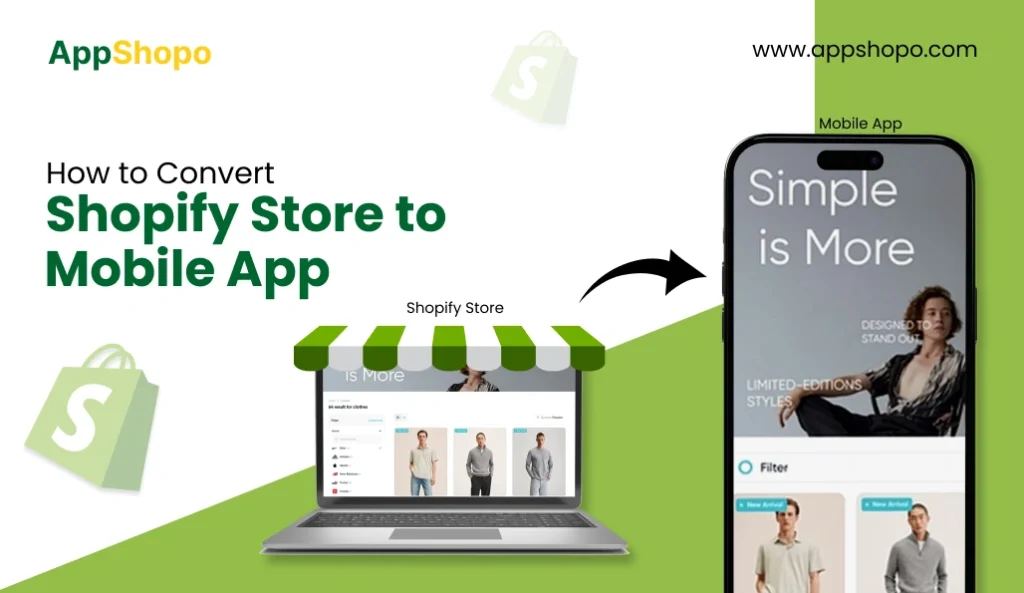
Your Shopify store is already doing the heavy lifting on the web. Products are live, payments work, and traffic is coming in. The real question is how many of those visitors come back. That is where a mobile app changes the game.
Customers spend more time on apps than on browsers. They open them faster, browse more often, and convert at higher rates. Turning your shopify store to mobile app is not about rebuilding your business. It is about extending it to the place your customers already prefer.
This guide walks you through exactly how to turn your Shopify store into a mobile app without complexity or wasted effort. You will learn the practical options available, what to look for in the right solution, and how store owners are using apps to increase repeat purchases and retention.
If growth, loyalty, and long-term value matter to your store, this is the place to start.
- Converting a shopify store to a mobile app helps increase repeat purchases and customer engagement.
- Mobile apps convert better than mobile websites and support long-term retention.
- Shopify app builders make app creation fast without coding or rebuilding.
- A mobile app prepares your store for a mobile-first shopping future.
- Customer behavior has shifted heavily toward mobile, making a dedicated app an effective way to capture more engagement and sales from existing traffic.
- Turning a shopify store into a mobile app does not require rebuilding your store, hiring developers, or changing daily operations when the right tools are used.
- Mobile apps offer advantages websites cannot, including faster performance, push notifications, app-exclusive promotions, and stronger brand visibility.
- Shopify app builders provide a faster and more cost-effective alternative to traditional app development while keeping Shopify as the central system.
- A well-executed mobile app strategy helps improve conversions, increase customer lifetime value, and build loyalty in a mobile-first ecommerce landscape.
Why Shopify Store Owners Need a Mobile App
Customer behavior now makes mobile the dominant channel for online shopping. Globally, mobile commerce is expected to account for nearly 60 percent of all online retail sales in 2025. That means more than half of the money spent online will happen on phones or tablets.
Phones are where most people browse and buy. About 75 percent of e-commerce website traffic comes from mobile devices. That shows the vast majority of your potential customers start their shopping journey on a handheld device, not a desktop computer.
Turning your Shopify store to mobile app helps close the gap between traffic and sales. Mobile apps generally convert at much higher rates than mobile websites. Research shows apps lead to three times the conversion compared with mobile sites, thanks to faster load times, smooth checkout, and one-tap features.
With a mobile app, you can
- Turn one-time visitors into repeat customers with app-based shopping habits.
- Increase conversions through faster loading, smoother navigation, and easier checkout.
- Reach customers instantly using push notifications instead of relying on email opens.
- Keep your brand visible on customer phones every day, not just when they search.
- Drive higher lifetime value with personalized offers and app-only promotions.
- Prepare your Shopify store for a mobile-first future where apps lead ecommerce growth.
These advantages make converting a shopify store to a mobile app less of an upgrade and more of a growth move.
Customers are increasingly on mobile, and apps deliver deeper engagement and stronger conversions than mobile websites alone. Converting your Shopify store to a mobile app positions your business to tap into this trend and build a more loyal customer base.
Also Read: Shopify Mobile App Builders: Best Budget-Friendly Option
Top Methods to Convert Your Shopify Store to Mobile App
There are two main ways to convert a shopify store to a mobile app. Each approach comes with different costs, timelines, and levels of effort. Choosing the right one depends on how fast you want to launch and how much complexity you are ready to manage.
1. Shopify App Builder
A Shopify app builder is the fastest and most practical option for most store owners. Your existing Shopify store becomes the foundation of the mobile app. Products, collections, checkout, and updates stay in sync automatically.
This method focuses on speed and efficiency. There is no need to rebuild your store or manage a separate backend. App builders are designed for e-commerce, which means features like push notifications, native navigation, and app store readiness are already included.
For brands looking to convert a shopify store to a mobile app without technical overhead, this is usually the smartest path.
2. Traditional App Development
Traditional app development involves building an app from scratch using a development team. Every feature, screen, and integration is custom built. While this allows full control, it also introduces higher costs, longer timelines, and ongoing maintenance challenges.
This approach is typically chosen by large enterprises with unique requirements and dedicated technical teams. For most Shopify stores, the time and investment required outweigh the benefits.
Comparison of Methods
| Factor | Shopify App Builder | Traditional App Development |
| Time to launch | Days or weeks | Several months |
| Development cost | Low to moderate | High |
| Shopify integration | Built-in and automatic | Custom and manual |
| Maintenance | Managed for you | Requires ongoing developer support |
| App updates | Automatic sync with store | Separate updates needed |
| Best for | Growing and established stores | Large enterprises with custom needs |
When the goal is to convert a shopify store to a mobile app efficiently, app builders clearly offer a faster and more scalable solution. Traditional development only makes sense when your business demands full custom engineering from day one.
Step-by-Step Process of Converting Your Shopify Store to Mobile App Without Coding
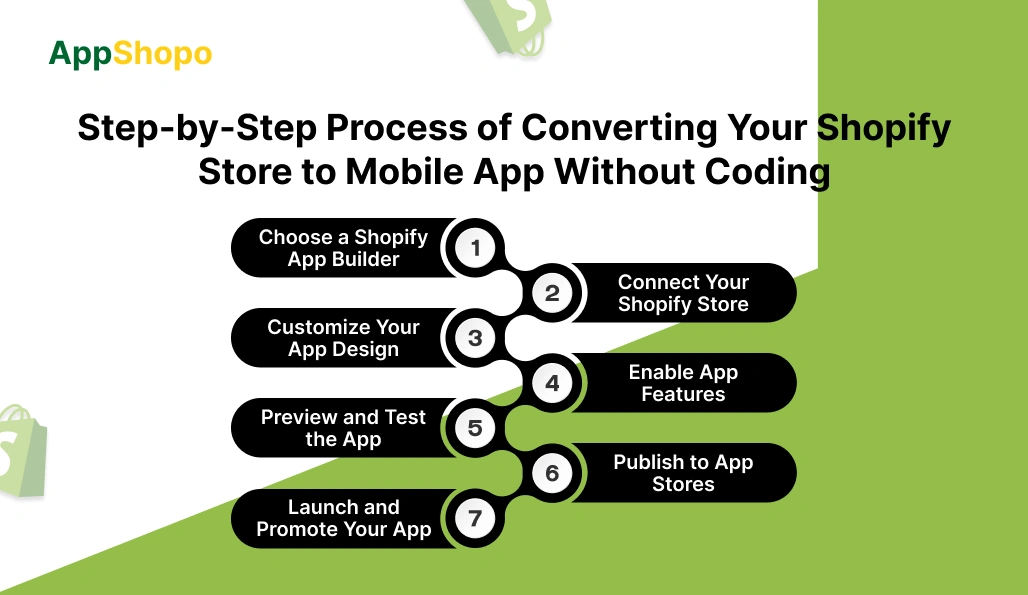
Converting a shopify store to a mobile app using a Shopify app builder is not just a technical task. It is a strategic extension of your existing store into a channel where customers are more active, more engaged, and more likely to return. Each step below explains not only what to do, but why it matters for long-term growth.
Step 1. Choose a Shopify App Builder
This is the most important decision in the entire process. The app builder you choose defines how quickly you can launch, how stable your app will be, and how much effort it will take to maintain over time. A purpose-built solution like AppShopo is designed specifically to convert a shopify store to a mobile app without adding technical complexity.
A reliable Shopify-focused app builder should
- Be built specifically for ecommerce, not general-use apps.
- Create native iOS and Android apps for better performance.
- Sync automatically with Shopify for products, pricing, and inventory.
- Include mobile-first features such as push notifications and deep linking.
- Offer guidance through app store submission and approvals.
Choosing the right platform at this stage ensures your shopify store to mobile app conversion is efficient, scalable, and ready to support long-term growth.
Step 2. Connect Your Shopify Store
Once you choose the platform, connecting your store is usually quick and secure. This step links your existing Shopify backend directly to the mobile app.
During this connection
- Your product catalog is imported automatically.
- Collections and categories stay organized exactly as on your site.
- Images, descriptions, and pricing sync in real time.
- Checkout continues to use Shopify’s trusted payment system.
The biggest advantage here is continuity. You manage everything from Shopify, while the app updates itself in the background.
Step 3. Customize Your App Design
Design is where your app starts to feel like your brand. Customers should instantly recognize your store when they open the app.
Most Shopify app builders allow you to
- Set brand colors and fonts for visual consistency.
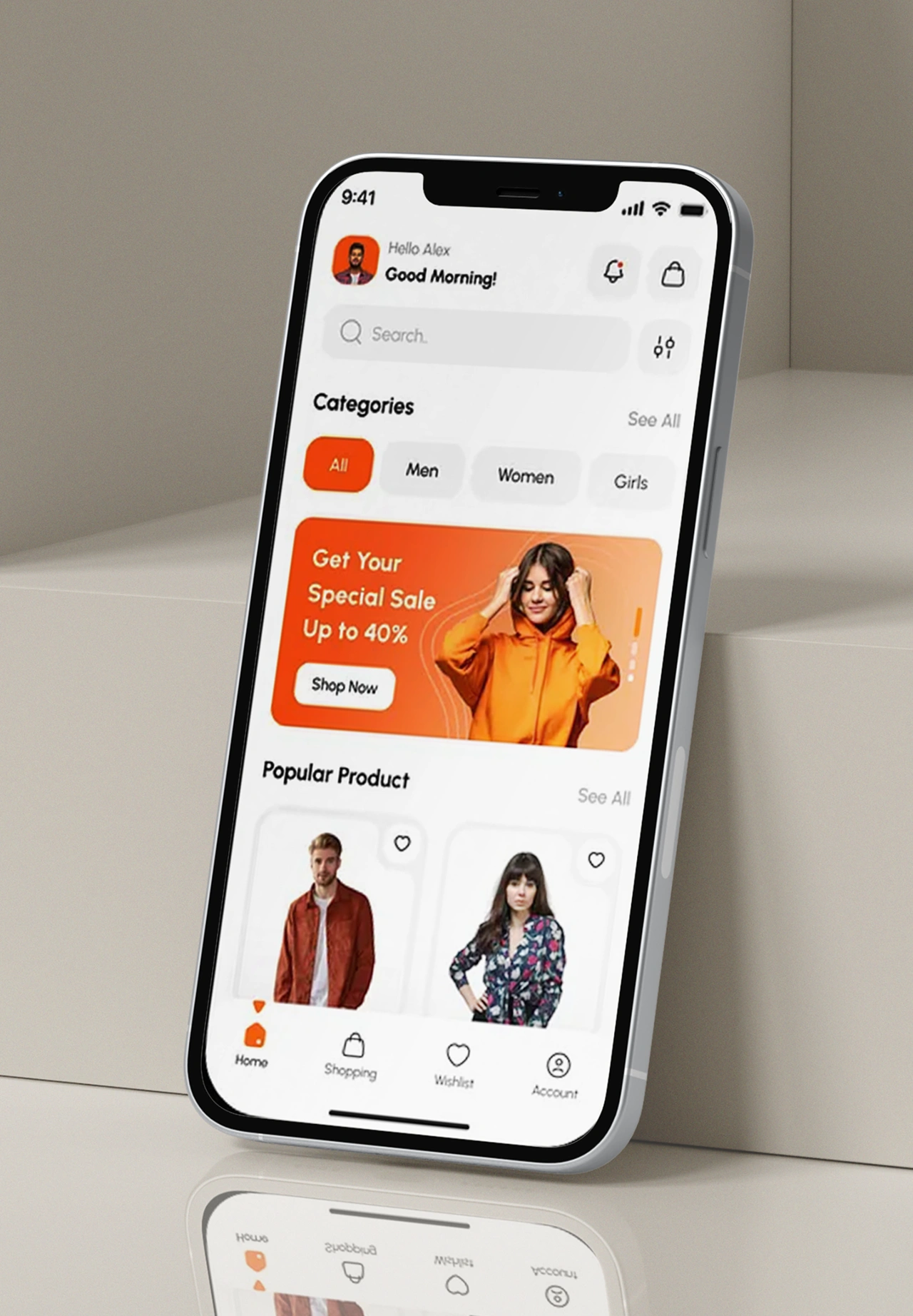
- Customize the home screen to highlight best sellers or offers.
- Design navigation menus that make browsing effortless.
- Add banners or featured sections for promotions.
A clean, familiar design increases trust and makes customers more comfortable shopping inside your shopify store or mobile app.
Step 4. Enable App Features
Mobile apps succeed because they offer capabilities websites cannot. This step unlocks the real advantages of having an app.
Important features to activate include
- Push notifications for sales, restocks, and abandoned carts.
- Deep links that open specific products or collections instantly.
- App-exclusive offers that reward loyal customers.
- Faster login and checkout experiences.
These features help you stay connected with customers even when they are not actively shopping.
Step 5. Preview and Test the App
Testing ensures your app delivers a smooth experience from day one. It helps you catch issues before customers do.
During testing, review
- Browsing speed and navigation flow.
- Product pages, variants, and images.
- Cart behavior and payment flow.
- Notification timing and accuracy.
This step ensures your shopify store to mobile app feels polished, reliable, and ready for public use.
Step 6. Publish to App Stores
Publishing is often where store owners hesitate, but app builders simplify this step significantly.
The publishing process typically involves
- Creating app store listings with descriptions and screenshots.
- Setting up developer accounts for Apple and Google.
- Submitting the app for review.
- Responding to any approval feedback.
Once approved, your app becomes discoverable to users on major app marketplaces worldwide.
Step 7. Launch and Promote Your App
Launching the app is just the beginning. Promotion ensures customers know it exists and understand why they should download it.
Effective launch strategies include
- Promoting the app on your website and checkout pages.
- Sending email announcements to existing customers.
- Offering app-only discounts to drive installs.
- Using push notifications to encourage repeat use.
A well-promoted launch helps your shopify store to mobile app gain traction quickly and start generating measurable results.
When followed correctly, this process turns your Shopify store into a powerful mobile channel without coding, without rebuilding, and without disrupting your existing operations.
Read Also: Top 15 Best Shopify App Builders
How to Choose the Right Tool for Shopify Store to Mobile App Conversion
Choosing the right tool to convert a shopify store to a mobile app is a business decision, not just a technical one. The platform you select will directly impact app performance, customer experience, and long-term maintenance. Here is how to evaluate your options clearly and confidently.
- Native app performance: Choose a tool that builds true iOS and Android apps, not simple web wrappers. Native apps load faster, feel smoother, and deliver a better shopping experience that improves engagement and conversions.
- Deep Shopify integration: The right solution should connect directly with Shopify and sync products, inventory, pricing, and checkout automatically. This keeps your shopify store to mobile app updated without manual work or operational complexity.
- Mobile-first features: Look for built-in features designed for mobile behavior, including push notifications, deep links, and app-exclusive promotions. These features help drive repeat visits and strengthen long-term customer relationships.
- Customization and branding: Your app should reflect your brand clearly. Choose a tool that lets you control colors, fonts, layouts, and navigation so the app feels like a natural extension of your Shopify store.
- App store support: Publishing to app stores can be complex. A reliable platform provides guidance for approvals, assets, and compliance, helping your shopify store to launch a mobile app faster and with fewer delays.
- Ongoing support and scalability: Select a tool that offers long-term support, handles updates, and scales with your business. This ensures your app remains stable, secure, and ready for future growth as customer expectations evolve.
Selecting the right tool sets the foundation for a successful mobile app. When the platform aligns with your store goals, converting a shopify store to a mobile app becomes a growth move rather than a technical challenge.
How AppShopo Turns Your Shopify Store into Mobile App Without Rebuilding
Most Shopify store owners think a mobile app requires rebuilding their store from the ground up. AppShopo takes a different approach. It converts your existing Shopify setup into a native mobile app while keeping everything you already use intact.
AppShopo connects directly with Shopify, so your store remains the single source of truth. Any change you make on Shopify appears instantly inside the app, without extra steps or manual updates. This makes the shopify store to mobile app transition smooth and low risk.
Here is how AppShopo makes it work
- Uses direct Shopify integration to sync products, pricing, inventory, and checkout in real time.
- Keeps your existing theme logic, payment gateways, and business rules unchanged.
- Optimizes navigation and layout specifically for mobile app users.
- Delivers faster load times and smoother browsing than mobile websites.
- Adds mobile-only features like push notifications and deep linking.
- Removes the need for separate app management or technical maintenance.
Instead of rebuilding, AppShopo extends your store into a mobile channel. Customers get a better shopping experience, and you keep managing everything from Shopify.
This approach allows you to convert a shopify store to a mobile app quickly, without development delays, data risks, or operational disruption, while staying ready for future growth.
Why is AppShopo the Smarter Choice for Shopify Store to Mobile App Conversion
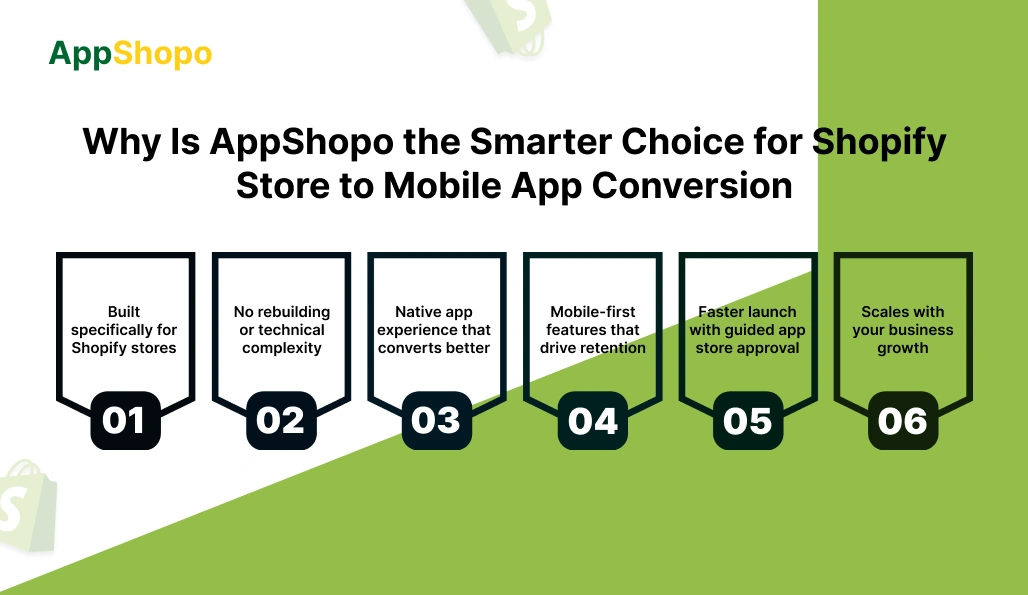
When deciding on a platform for shopify store to mobile app conversion, the right platform choice is very important. The wrong one will complicate things, lead to delays, and create maintenance problems. AppShopo is a solution: fast, trustworthy, and with a long-term value that is free of technical issues or rebuilding.
- Built specifically for Shopify stores
AppShopo is designed around Shopify, not adapted later. Every feature is aligned with how Shopify works, from product syncing to checkout. This focus ensures your shopify store to mobile app behaves reliably, stays updated automatically, and avoids the limitations of generic app-building tools.
- No rebuilding or technical complexity
AppShopo converts your existing store into a mobile app without rebuilding pages, redesigning content, or changing workflows. You continue managing products, orders, and inventory in Shopify, while the app updates in real time. This reduces risk, saves time, and keeps operations simple.
- Native app experience that converts better
Unlike basic web wrappers, AppShopo delivers a true native app experience. Faster load times, smooth navigation, and mobile-optimized layouts create a more engaging shopping journey. This directly improves browsing time, repeat visits, and conversions compared to mobile web experiences.
- Mobile-first features that drive retention
AppShopo includes built-in features designed for mobile behavior. Push notifications, deep links, app-only offers, and cart recovery tools help you re-engage customers effectively. These capabilities turn your shopify store mobile app into a retention channel, not just another sales surface.
- Faster launch with guided app store approval
AppShopo simplifies the app launch process with structured guidance for Apple App Store and Google Play submissions. From preparing assets to handling approval requirements, the platform reduces delays and helps your app go live faster without confusion or compliance issues.
- Scales with your business growth
As your store grows, AppShopo grows with it. The platform supports regular updates, new features, and long-term maintenance without added complexity. This makes your shopify store to mobile app a future-ready asset that continues delivering value over time.
When your goal is sustainable growth, the choice becomes clear. AppShopo removes friction, shortens launch time, and delivers a native mobile experience that drives real results. For store owners ready to convert a shopify store to a mobile app the smart way, AppShopo offers a solution built to scale with your business.
Final Thoughts: Converting Your Shopify Store to Mobile App with AppShopo
Turning a shopify store into a mobile app is no longer just an expansion idea. It is a practical move for brands that want stronger customer relationships and repeat revenue. Mobile apps create faster experiences, higher engagement, and more direct communication with shoppers.
AppShopo simplifies this shift by removing the usual barriers. There is no rebuilding, no complex development, and no disruption to how you run your store today. Your Shopify setup remains the control center while the app works as a powerful extension of it.
You can focus on growth instead of technical decisions. With native performance, mobile-first features, and guided app store launch, AppShopo helps you move from idea to live app with confidence.
If your goal is to stay competitive and meet customers where they already shop, converting your shopify store to a mobile app with AppShopo is a smart step forward.
FAQ’s:
1. Do I need coding skills or a developer to build the app?
No coding is required at any stage. AppShopo is built for Shopify store owners, not developers. Your existing store connects directly to the app platform, and everything from products to checkout syncs automatically. You manage your store as usual in Shopify while the mobile app updates in the background. This removes the need to hire developers or manage technical complexity.
2. What kind of support do I actually get?
You get hands-on support throughout the process, not just documentation. AppShopo assists with onboarding, app configuration, testing, and app store submission. Ongoing support is available for updates, feature guidance, and troubleshooting. The goal is to help you run and grow your shopify store to a mobile app confidently without feeling stuck or unsupported.
3. Do I need a fully custom app for my brand to stand out?
Most stores do not need custom development to feel unique. AppShopo allows full branding control, including colors, layout, navigation, and app icon. Your content, products, and customer experience remain uniquely yours. The app is designed around your store, not a generic template, while avoiding the cost and risk of building from scratch.
4. How can I offer app-exclusive products and discounts?
AppShopo lets you promote app-only offers using banners, collections, and push notifications. You can highlight exclusive products, early access deals, or special discounts inside the app. These incentives encourage customers to download and regularly use your app, helping your shopify store to drive loyalty and repeat purchases through the mobile app.
5. Will the app be slower than a native app?
No. AppShopo delivers a native app experience optimized for mobile performance. Pages load faster than mobile websites, navigation is smoother, and interactions are designed for touch. Unlike basic web wrappers, the app is built to feel responsive and reliable, giving customers a shopping experience comparable to custom native apps.
6. How does checkout work inside the app? Can I use my custom setup?
Checkout runs through Shopify, just like your website. This means your existing payment gateways, taxes, shipping rules, and checkout logic remain unchanged. If you use Shopify Plus or custom checkout configurations, those carry over. Customers get a familiar and secure checkout experience inside your shopify store to mobile app.
7. Does the app support push notifications?
Yes. Push notifications are a core feature. You can send alerts for sales, new product launches, restocks, abandoned carts, and special offers. Push notifications give you direct access to customers without relying on email or ads, making them one of the most effective engagement tools in a mobile app.
8. How is this more affordable than custom development?
Custom app development requires high upfront costs, long timelines, and ongoing maintenance. AppShopo replaces all of that with a managed platform. You avoid developer fees, rebuild costs, and technical debt. The subscription covers hosting, updates, and support, making the shopify store to mobile app approach far more predictable and cost-effective.
9. What does the one-time setup fee include?
The setup fee covers initial configuration, app build, design setup, testing, and app store submission assistance. It ensures your app is professionally prepared and compliant before launch. After setup, ongoing costs are limited to the platform subscription, with no surprise development expenses later.
10. How do I know my app will be approved by Apple and Google?
AppShopo follows app store guidelines closely and helps you prepare everything required for approval. This includes app structure, assets, descriptions, and compliance checks. While no platform can control final decisions, guided submissions and proven processes greatly reduce the risk of rejection and unnecessary delays.
11. Is waiting a few weeks too long? I want the app live quickly.
A short launch timeline ensures quality and approval readiness. AppShopo focuses on building, testing, and submitting your app correctly rather than rushing and risking rejection. Compared to traditional development that takes months, this is still one of the fastest ways to convert a shopify store to a mobile app.
12. Will AppShopo work with a headless Shopify setup?
Headless builds can be more complex, but compatibility depends on your specific architecture. AppShopo works best with standard Shopify setups that use Shopify checkout and APIs. If your store uses a headless configuration, the team can review your setup and confirm feasibility before moving forward.
13. Are there any limitations I should be aware of?
The platform is optimized for e-commerce use cases rather than fully custom applications. Extremely complex custom logic or non-Shopify workflows may not be supported. For most Shopify stores, the available features cover everything needed to run, promote, and scale a successful mobile app.
14. Why should I turn my Shopify store into a mobile app at all?
Mobile apps drive higher engagement, better conversion rates, and stronger customer retention than mobile websites. They keep your brand visible on customer phones and enable direct communication through notifications. Converting a shopify store to a mobile app helps future-proof your business in a mobile-first shopping landscape.

Pankaj Arora
Founder, AppShopo

Pankaj Arora is a technology entrepreneur and the Founder of AppShopo, with over 10 years of experience in helping businesses transform websites into high-performing mobile apps. His expertise spans eCommerce app development, Shopify and WooCommerce integrations, mobile UX optimization, and scalable app delivery. Through AppShopo, Pankaj has enabled brands worldwide to launch fast, reliable Android and iOS apps that drive higher engagement, retention, and mobile sales.